
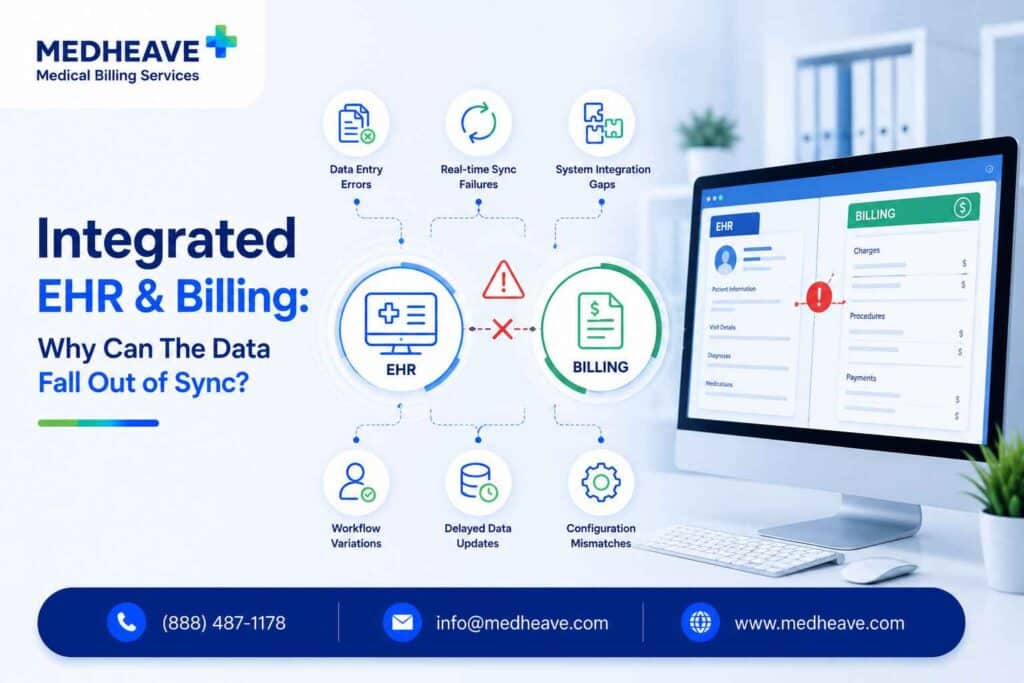
An integrated EHR and billing system connects clinical documentation with charge capture, claim submission, payment posting, and patient balances in one coordinated workflow — so that information moves between clinical and financial records without repeated manual entry.
The integration can be:
- Native (built into one platform)
- Manual (spreadsheets, downloads, and re-entry)
- Interfaced (separate systems connected through APIs or HL7)
The 3 arrangements are not equal, and the label “integrated” does not reveal which one a practice or billing company is actually using.
Now, there is a scenario that hurts practices a lot. They document encounters in their EHR, the billing company extracts that data into its own platform, and claims, payments, adjustments, and patient balances are updated in a system the practice cannot see.
Over time, the two records stop matching. Nobody knows which one is correct.
In this guide, we’ll look at why that happens, what breaks when it does, and what an integrated EHR and billing workflow should actually look like.
What does “integrated” actually mean?
Not every connection between an EHR and a billing platform qualifies as integration in any operational sense. The difference between the levels determines whether a practice has real-time financial visibility or a billing black box.
| Integration level | What happens | Risk level |
| All-in-one platform | EHR, billing, and practice management built into one system | Lowest — data lives in one place |
| Two-way interface | Separate systems exchange data in both directions through APIs or HL7 | Moderate — depends on interface reliability and monitoring |
| One-way transfer | EHR exports data to the billing system, but payments and status do not return | High — the practice cannot see claim or payment activity |
| Manual export and re-entry | Staff download reports, copy data into spreadsheets, and re-enter into another system | Very high — error-prone, slow, and uncontrolled |
A billing company that downloads encounter data from the practice EHR, processes it internally, and never pushes payment or claim status back is not providing integration. It is creating a separate financial record that the practice cannot independently verify.
Integration Maturity: Four Levels
Level 1
Manual exports, spreadsheets, and re-entry between systems
Level 2
One-way data transfer — EHR sends, nothing returns
Level 3
Bidirectional interface — claims, payments, and status sync both ways
Level 4
Unified workflow with monitoring, exception alerts, and reconciliation
Why do practices and billing teams end up using different systems?
This is not a technical accident. It is a structural pattern in outsourced medical billing.
Billing companies standardize their own platform
A billing company serving 30 practices does not want to learn and manage 30 different billing systems.
It builds workflows, reports, denial queues, and payment posting inside one centralized platform — then extracts encounter data from each practice’s EHR to feed into it. The efficiency gain belongs to the billing company. The visibility loss belongs to the practice.
Practices keep their preferred EHR
Providers chose their EHR for clinical workflow, not billing functionality. Specialty-specific EHRs (TherapyNotes for behavioral health, ModMed for dermatology, Chorus for psychiatry) may have limited native billing features. The practice retains the clinical system it knows, and the billing company adds its own financial layer on top.
No one maps the data flow at onboarding
When a practice hires a billing company, the first conversation is about denials, AR aging, and collection rates.
Rarely does anyone document which system will own which data, how information moves between them, what happens when a payment is posted, or how the practice will verify that every encounter became a billed claim.
The workflow starts disconnected and stays that way — until the discrepancies become too visible to ignore.
What breaks when the systems stop matching?
The consequences compound. Each disconnection creates a downstream problem that multiplies the further it travels through the revenue cycle.
Payments recorded in billing but invisible in the EHR
The payer sends an ERA. The billing team posts the payment in its platform. The practice EHR is never updated. The front desk looks at the EHR, sees an unpaid balance, and gives the patient incorrect information about what they owe.
Patient balances that contradict each other
The billing team applies an adjustment after a payer processes a claim. The EHR still shows the original patient responsibility. A statement goes out for the wrong amount.
The patient calls, confused. The front desk cannot verify the correct balance because the authoritative record lives in a system they do not access.
Encounters that were never billed
The provider completes and signs the encounter note. A coding issue, interface failure, or extraction delay prevents the charge from reaching the billing platform.
The EHR shows a completed visit. The billing system shows nothing. No claim is created. No one notices until months later — often past timely filing.
Claim status that no one can confirm
The EHR marks a claim as “submitted” when a claim file is generated. The clearinghouse rejects it before it reaches the payer. The practice assumes the claim is under review. The billing team sees the rejection but may not communicate it back. The claim sits in limbo, losing filing time.
Adjustments with no audit trail
A write-off is entered in the billing platform. The practice EHR reflects nothing. No approval was documented. No reason code was recorded in a system the practice can access. The adjustment is invisible until someone reconciles — if anyone ever does.
Financial reports that do not agree
The billing company sends a monthly collections report. The practice runs its own report from the EHR. The numbers do not match. Neither side knows which report reflects the actual revenue because no reconciliation process connects the two.
Which system should be the source of truth?
Every practice needs a defined authoritative record for each data category. The exact ownership model varies by setup, but it must be documented — not assumed.
| Data type | Typical authoritative system | What must sync |
| Clinical documentation | EHR | Diagnoses, procedures, encounter details |
| Patient demographics | EHR or practice management system | Name, DOB, contact, insurance updates |
| Insurance and eligibility | Designated registration system | Coverage changes, plan details |
| Claim creation and status | Billing platform | Claim number, submission date, payer response |
| Clearinghouse status | Clearinghouse or billing platform | Acceptance, rejection, acknowledgment |
| Payer adjudication | Billing platform | Payment, denial, adjustment, patient responsibility |
| Patient balance | Designated financial ledger | Payments, adjustments, current balance |
| Bank deposit | Banking or accounting system | Deposit amounts, posting reconciliation |
The point is not that one system must do everything. The point is that someone must decide — in writing — which system owns each piece of data, what must flow back, and who checks whether the records agree.
How do you know whether a claim was actually billed?
“Submitted” means different things depending on where you look.
| Stage | What happened | What has not happened yet |
| Encounter completed | Provider finished and signed the note | Charge may not exist |
| Charge entered | Diagnosis and procedure codes captured | Claim may not be created |
| Claim created | Billing system assembled the claim | Claim may not be transmitted |
| Claim transmitted | Claim sent to the clearinghouse | Clearinghouse may reject it |
| Clearinghouse accepted | Claim passed validation and forwarded to payer | Payer may not have received it |
| Payer received | Payer acknowledged receipt | Claim may be denied or pended |
| Claim adjudicated | Payer made a payment decision | Payment may not be posted correctly |
A practice that sees “submitted” in the EHR and assumes the payer is processing the claim may be looking at a claim that never left the clearinghouse.
Integration should expose every stage. If the practice cannot trace a specific encounter through each of these steps, the workflow has a visibility gap.
Integration does not replace reconciliation
This is the single most important operational point in the entire article.
Integration moves data. Reconciliation proves the data is complete and correct. Automated synchronization can move wrong or incomplete information faster than manual entry — it does not guarantee accuracy.
A properly controlled billing workflow reconciles at every stage:
- Payments posted versus bank deposits
- Patient balances versus statements sent
- Claims created versus clearinghouse acceptances
- Adjustments and write-offs versus documented approvals
- Completed encounters versus charges entered
- ERAs received versus payments posted
- Charges entered versus claims created
A practice that automates the data flow but never checks whether the records agree will eventually discover the same discrepancies that manual workflows produce — just later, after more revenue has been affected.
Seven Reconciliation Checkpoints
1
Encounters → Charges
2
Charges → Claims
3
Claims → Clearinghouse
4
ERAs → Postings
5
Postings → Deposits
6
Balances → Statements
7
Write-offs → Approvals
Should everything be managed through one EHR?
A practice may legitimately use an EHR, practice management system, billing platform, clearinghouse, patient payment portal, and accounting system.
Separate systems are not automatically a problem. The problem is when they lack reliable synchronization, defined ownership, and reconciliation.
A more accurate standard than “one system for everything” is:
- Reliable data exchange between systems
- One authoritative record for each data category
- Documented responsibility for who updates what
- Regular reconciliation across clinical and financial records
An all-in-one platform simplifies this by reducing the number of interfaces, vendors, and synchronization points.
But a poorly configured all-in-one system can produce the same discrepancies as disconnected platforms — because the data still needs to be entered correctly, posted accurately, and verified.
The architecture matters less than the controls.
What should practices require from their billing team?
Whether billing is outsourced or in-house, the practice needs specific operational commitments — not just a collections percentage.
User-Level Audit Trails
Maintain detailed logs showing exactly who accessed, modified, or deleted billing and financial records.
Monthly Reconciliation Reports
Require routine reconciliation of charges, payments, adjustments, and deposits to ensure financial accuracy.
Adjustment & Write-Off Controls
Require authorization workflows for contractual adjustments, write-offs, and other financial changes.
Current Claim Status Access
Provide real-time or daily visibility into claim status so staff can respond quickly to delays or denials.
Patient Balance Synchronization
Ensure patient balances automatically stay synchronized with the front desk and scheduling system.
Documented Data Ownership
Assign and document ownership for every billing and financial data category to prevent accountability gaps.
Secure Data Exchange
Exchange billing information securely and never use unencrypted spreadsheets containing protected health information (PHI).
Discrepancy Resolution Process
Maintain a documented workflow for investigating, tracking, and correcting billing or financial discrepancies.
Payment Posting Procedures
Follow standardized payment-posting procedures that accurately update the practice’s financial records.
Exception Reports
Review daily or weekly reports for failed transfers, rejected claims, and unposted payments so issues are resolved promptly.
A billing company’s internal platform should never become a financial black box.
If the practice cannot independently verify which claims were billed, which payments were received, and which patient balances are correct, the practice does not control its revenue cycle — regardless of what the contract says.
HIPAA, security, and SOC 2 control considerations
Multiple systems do not automatically create a HIPAA violation.
The issue is whether electronic protected health information (ePHI) is covered by suitable administrative, physical, and technical safeguards and included in the organization’s risk analysis.
Disconnected workflows create specific control risks:
- Excessive system access beyond what each role requires
- Terminated employees retaining access to billing platforms or EHR portals
- Patient data moving between systems without documented transfer controls
- Shared login credentials across billing team members (no individual accountability)
- No audit trail for who changed a balance, posted a payment, or entered an adjustment
- Spreadsheets containing patient data downloaded to local machines without encryption
For SOC 2, the concerns map to processing integrity (is the data complete, valid, and accurate?), access control (who can view and modify financial records?), and change tracking (can every modification be attributed to a specific user?).
These are not theoretical compliance exercises — they are operational controls that directly affect revenue accuracy.
HHS requires covered entities and business associates to apply appropriate administrative, physical, and technical safeguards to electronic protected health information.
Signs your current workflow is leaking revenue
If any of these are happening, the integration between clinical and billing systems is failing — regardless of what the software vendor or billing company claims.
- Patients receive statements after they already paid
- The practice cannot identify all unbilled encounters
- Adjustments cannot be traced to a user or reason code
- Staff compare reports from two systems manually every month
- The same payment appears differently in the EHR and billing platform
- Nobody knows which system contains the correct patient responsibility
- Financial reports depend on manually assembled spreadsheets
- Front desk staff give patients incorrect balance information
- Only the billing company can see current claim status
- Bank deposits do not match posted payment totals
Each of these is a symptom. The cause is the same — no defined source of truth, no bidirectional data exchange, and no reconciliation process connecting the clinical record to the financial record.
Your EHR records the care. MedHeave makes sure both systems agree on the revenue.
When the practice documents in one system and billing happens in another, revenue leaks through the gap — unbilled encounters, unposted payments, mismatched patient balances, and adjustments nobody approved.
MedHeave works inside your EHR, not around it.
- Every claim is built and submitted from the practice’s own billing system — no external black box
- Weekly reporting includes charges, payments, denials, and aging by provider and payer
- Denial rework and AR follow-up happen with full claim visibility back to the practice
- Payment posting updates the financial record the practice can see and verify
- Reconciliation is built into the workflow, not treated as an afterthought
Talk to us about replacing disconnected billing workflows with a revenue department that operates inside your system.
Frequently asked questions
Here are some commonly asked questions on this topic:
An integrated EHR and billing system connects clinical documentation with charge capture, claim submission, payment posting, and patient balances so that information moves between clinical and financial workflows without repeated manual entry. The integration can be native (one platform), interfaced (separate systems with automated data exchange), or manual (exports and re-entry). The depth and direction of the data flow determines whether the practice has real financial visibility or just a billing connection in name only.
Integration can reduce denials caused by missing demographics, invalid insurance information, duplicate claims, and coding mismatches — because the data transfers automatically instead of being re-entered. But integration cannot fix weak clinical documentation, incorrect code selection, missing authorizations, or payer-specific coverage restrictions. The billing team still needs to scrub claims, monitor clearinghouse rejections, and work denial queues. Fewer manual handoffs reduce one source of error. They do not eliminate all of them.
It depends on the practice. An all-in-one platform simplifies vendor management, reduces interface points, and keeps data in one place. Separate connected systems offer more flexibility — a practice can keep a preferred specialty EHR and pair it with deeper billing functionality. The deciding factors are integration depth, specialty fit, reporting needs, vendor support, data portability, and total cost. The architecture matters less than whether the systems stay synchronized and reconciled.
It can, but the practice needs safeguards. If the billing company processes claims in its own platform, the practice should have real-time access to claim status, payment postings, patient balances, and adjustment activity. Without bidirectional data exchange and regular reconciliation, the billing company’s system becomes the only financial record — and the practice loses the ability to verify its own revenue independently. The question is not whether separate systems exist. It is whether the data flows back.
Daily reconciliation should cover payment postings, failed interface messages, and clearinghouse rejections. Weekly reconciliation should compare encounters to charges, charges to claims, and posted payments to bank deposits. Monthly reconciliation should validate complete financial activity — total collections, adjustments, patient balances, and write-offs against approved thresholds. Exception reporting should run continuously, flagging any transaction that fails a defined reconciliation checkpoint.
One system must be designated as the authoritative patient balance — and every payment, adjustment, and payer decision must flow into it. In most workflows, the billing platform holds the most current financial data because it receives ERAs and posts payments. But the practice EHR must reflect that balance if front desk staff use it for patient communication. If the two systems show different amounts, the patient gets incorrect information and the practice collects the wrong amount.

