
A claim comes back rejected, and nobody can say why, because the coding was clean and the diagnosis was right. Nine times out of ten, the fault sits in the form itself, not the claim.
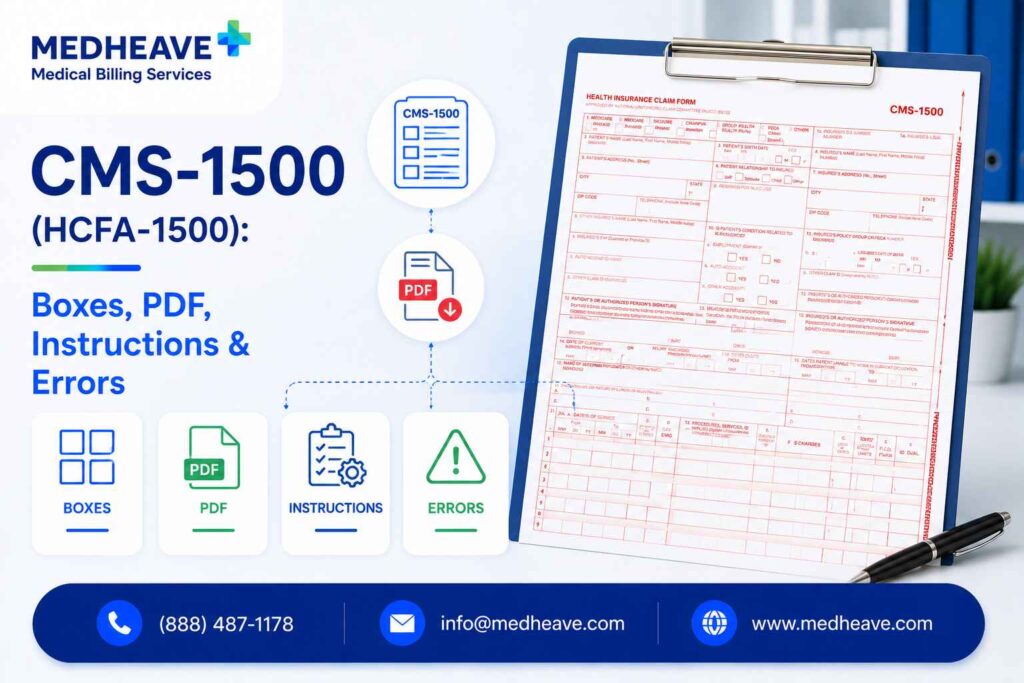
The CMS-1500 (formerly the HCFA-1500) is the standard paper claim form that non-institutional providers use to bill Medicare, Medicaid, and commercial payers. It carries 33 numbered boxes, runs on the current 02/12 version, and must be printed in scannable red ink so payer OCR readers can process it.
Here is what this guide walks through.
- What the form is and who maintains it
- Who fills it out, and how it differs from the UB-04
- Downloading, printing, and buying compliant forms
- A box-by-box walkthrough with an annotated sample
- Whether HCFA 1500 and CMS-1500 are the same thing
- Rejection reasons, a pre-submission checklist, and specialty risks
TLDR: The form in one glance
Paper claims leave little room for error. Even small mistakes in the form version, printing, or key fields can delay payment or lead to a denial.
- Use only the current 02/12 version printed in OCR red ink, because photocopies and black-ink prints get rejected before a human reviews them.
- One CMS-1500 layout serves Medicare, Medicaid, and commercial payers, but each payer reads certain boxes (payer type, Box 24J, Box 33) differently.
- Box 24 is where most paper claims fail, since dates of service, CPT/HCPCS codes, modifiers, diagnosis pointers, charges, and the rendering NPI in 24J all sit here.
- The CMS-1500 is the professional paper claim, the UB-04 is the institutional form, and the 837P is the electronic version of the same data.
- Download a preview PDF from CMS to learn the layout, but buy government-compliant scannable forms for anything you actually submit.
What is the CMS-1500 form?
The CMS-1500 is the official paper claim form for professional (non-institutional) healthcare services, and it is often called the professional paper claim form for that reason.
Physicians and suppliers use it to bill for the care they deliver, and it functions as the paper counterpart to the electronic 837P transaction. People search for it as the CMS 1500 form or the CMS-1500 claim form, but every spelling points to the same document.
The form is maintained by the National Uniform Claim Committee (NUCC), which publishes the reference manual defining every box. The Centers for Medicare and Medicaid Services (CMS) adopted it as the standard, which is where the current name comes from.
One layout serves every payer, so the same form goes to Medicare, to a state Medicaid program, and to a commercial carrier, with only the box content changing between them.
That single-form-many-payers design is the whole reason the CMS-1500 exists. Rather than each insurer printing its own claim form, the industry standardized on one, which is what lets a clearinghouse route the same data to hundreds of payers without reformatting it.
HCFA 1500 vs CMS-1500, are they the same?
Yes. HCFA-1500 and CMS-1500 are the same form under two names:
HCFA stands for the Health Care Financing Administration, the agency that first published the form. When the agency was renamed to CMS in 2001, the form’s name followed, and HCFA 1500 became CMS-1500.
The confusion persists because many billers, EHR menus, and office suppliers still say HCFA form out of habit. Payers understand both terms, so a request for a HCFA 1500 and a request for a CMS-1500 return the same document.
What actually changes over time is the version, not the name. The current release is the 02/12 version, which replaced the older 08/05 form. The 02/12 revision expanded the diagnosis area to hold up to 12 ICD-10 codes and added an ICD indicator so the scanner knows which code set the claim uses.
Running an outdated version through a payer scanner produces misread fields, so the version number is worth checking before every batch.
Who uses the CMS-1500?
Any provider or supplier who bills professionally, rather than as a facility, uses the CMS-1500. The common thread is that they bill for individual services and provider work, not for a facility stay or institutional resource.
Typical users include the following.
- Ambulance and independent lab services
- Physical, occupational, and speech therapists
- Patients themselves, when filing an out-of-network reimbursement claim
- Mental health providers such as psychologists, counselors, and psychiatrists
- Chiropractors billing spinal manipulation and related services
- Durable medical equipment (DME) suppliers
- Physicians across every specialty
That last group surprises people. A patient who paid out of pocket for out-of-network care can sometimes submit a CMS-1500 to their insurer for reimbursement, though most attach a provider superbill instead.
CMS-1500 vs UB-04, which form do you need?
The CMS-1500 is the professional claim form, and the UB-04 (also called the CMS-1450) is the institutional one.
The deciding factor is not the service performed but the entity billing it. An individual or group practice bills professional services on the CMS-1500, while a facility bills institutional charges on the UB-04.
Pick the wrong one and the claim bounces regardless of coding quality, because a payer expecting a UB-04 will not adjudicate a CMS-1500. The choice is usually settled by provider type and enrollment long before the claim is built.
| Factor | CMS-1500 | UB-04 (CMS-1450) |
| Claim type | Professional | Institutional |
| Billed by | Physicians, therapists, suppliers | Hospitals, SNFs, facilities |
| Example | A psychiatrist’s office visit | A hospital inpatient stay |
| Electronic twin | 837P | 837I |
| Key identifier | Box 33 billing NPI | Facility NPI and bill type |
A quick way to settle it in practice is to ask who is being paid. If the payee is a clinician or supplier billing for their own work, reach for the CMS-1500. If the payee is a facility billing for the use of its beds, rooms, or institutional resources, the UB-04 is the form.
It comes down to who is being paid
Can you download a CMS-1500 form?
Yes, you can download the form, but a downloaded copy is for reference, not always for submission. CMS publishes a printable Health Insurance Claim Form so you can study the layout and box numbering.
The catch is that the downloadable PDF prints in black and white on a standard printer. Payers that accept paper claims scan them with OCR readers calibrated to a specific dropout-red ink, and a black-line photocopy defeats that design.
So the download is genuinely useful for learning the form, drafting entries, or training staff, but the printout it produces will usually be rejected if you mail it as a live claim.
Treat the CMS.gov PDF as a map, not a form you can submit. It shows you exactly where every box sits, which is worth having open the first several times you complete a claim.
Can you print a CMS-1500 form yourself?
You can, but only onto compliant red OCR stock, not plain paper.
The form’s red ink is a specific shade (Flint OCR Red J6983) that scanners are built to ignore, dropping the red background out of the image so the reader sees only the black data you entered.
Three conditions have to hold for a self-printed form to scan cleanly.
- The template must use the OCR-red dropout ink, not a printer’s approximation of red.
- Your data must print in black ink so it stands out against the dropped-out background.
- Alignment must be exact, so every character lands inside its box rather than drifting into the margin.
Most offices skip the risk entirely by buying pre-printed red stock and running only the data layer through the printer, or by submitting electronically. Printing the full form, red grid included, on an office laser printer is where alignment and ink problems tend to creep in.
Where to get compliant CMS-1500 forms?
Compliant, scannable forms come from a short list of reliable sources, and buying from any of them beats improvising your own.
If you are wondering where to buy CMS 1500 forms, the goal is government-compliant, laser-scannable red-ink stock in the 02/12 version.
Reliable sources include the following.
- Approved office-supply vendors such as Staples
- Specialized medical-form vendors that sell laser and continuous-feed versions
- The U.S. Government Bookstore run by the GPO, which sells official single-sheet forms
- Your servicing Medicare Administrative Contractor (MAC), which can point to compliant stock
Before you buy, run through a short checklist.
- Confirm the listing says 02/12 version, not an older revision
- Verify the ink is OCR-scannable red dropout, not decorative red
- Match the format (single sheet, laser, or continuous feed) to your printer
- Order enough volume that you are not reprinting mid-batch on mismatched stock
Fillable CMS-1500 PDFs, when they work and when they don’t
A fillable CMS-1500 PDF is excellent for drafting and terrible as a final submission.
It lets you type directly into the boxes, save a clean copy, and avoid handwriting, which makes it a solid tool for reviewing entries or training a new biller.
Where it fails is the same place the plain download fails. When you print a fillable PDF on a standard printer, you get black grid lines instead of dropout red, and the scanner cannot separate your data from the form.
So the fillable version is a working draft, not a mailable claim, unless you are printing only the data onto pre-printed red stock.
For anything beyond the occasional one-off, billing software or a clearinghouse is safer and faster.
How to fill out the CMS-1500 (box-by-box)?
Completing the CMS-1500 means filling 33 boxes in a logical top-to-bottom order, moving from:
Who Is Covered?
What Happened?
What Was Done?
Who Gets Paid?
The form reads as one continuous claim story, and every populated box should trace back to the encounter and to the payer’s rules.
Patient and insured
Boxes 1 through 13 establish coverage and demographics, moving from the payer type down to the patient’s authorizations.
Box 11 is the one to watch, since it governs coordination of benefits and a wrong primary payer here forces a denial.
Box 1
Marks the payer type (Medicare, Medicaid, TRICARE, group health, or another plan), telling the receiver how to interpret the rest of the claim.
Patient Information
Records the patient’s name, date of birth, sex, and relationship to the insured.
Insured Information
Captures the insured’s details, policy number, group number, and any secondary insurance coverage.
Authorization
Documents the patient’s authorization to release medical information needed for claim processing.
Assignment of Benefits
Authorizes insurance benefits to be paid directly to the healthcare provider.
Condition and diagnosis
Boxes 14 through 23 describe the clinical picture, from the onset date to the diagnosis codes that drive the whole claim.
Box 21 is the engine here, and Box 23 is the quiet one that sinks claims when a required authorization number is left blank.
Illness or Injury Date
Records the onset date of the patient’s illness or injury that led to the services being billed.
Referring Provider
Lists the referring or ordering provider and their NPI whenever one is required for the service.
Diagnosis Codes
Contains up to 12 ICD-10-CM diagnosis codes (A–L) and the indicator confirming the diagnosis code set.
Authorization Number
Includes the prior authorization or referral number whenever the payer requires approval before treatment.
Service lines
Box 24 is the six-line service grid, and it produces more paper-claim errors than any other field. Each line records one service across its own columns.
- 24F, the charge
- 24G, the units or days
- 24A, the date of service
- 24J, the rendering provider’s individual NPI
- 24D, the CPT or HCPCS code with up to four modifiers
- 24E, the diagnosis pointer linking the service to a code in Box 21
- 24B, the place of service code (such as 11 for office or 02 for telehealth)
The shaded upper strip of each line is for supplemental data (like NDC drug codes), and the unshaded lower strip carries the billable data the payer adjudicates. Type service data into the shaded strip and the scanner reads the wrong field, which triggers a reject.
Provider and billing
Boxes 25 through 33 close the claim with money and identity, ending on the two NPIs that decide who performed the service and who gets paid.
In group practices those numbers differ, so the pairing of the rendering NPI (24J) with the billing NPI (33a) is where denials cluster when they blur together.
- Box 28 totals the charges
- Box 25 holds the billing entity’s federal Tax ID
- Box 31 confirms the rendering provider’s signature
- Box 32 names the service facility location (where care happened)
- Box 33 identifies the billing provider (who gets paid), with the group or billing NPI in 33a
Sample completed CMS-1500 (annotated)
Seeing the high-risk fields on a single claim makes the pattern click faster than any box list.
Picture a fictional out-of-network claim for a psychotherapy session, billed by a two-clinician mental health practice, and watch where the risk concentrates.
Out-of-network therapy claim, where the risk sits
The lesson from the sample is consistency. The diagnosis in Box 21, the pointer in Box 24E, the two NPIs, and the signature all have to agree with one another and with the payer’s expectations, or the claim stalls even though every individual entry looks correct in isolation.
The most common CMS-1500 rejection reasons
Most paper-claim rejections trace back to a small set of repeat offenders, and almost none of them involve the actual clinical coding. They are form-level and setup-level mistakes that a scanner or a payer edit catches at intake.
❌ A blank signature in Box 31
❌ A missing diagnosis pointer in Box 24E
❌ The wrong place-of-service code in Box 24B
❌ Sending the claim to the wrong payer address
❌ A missing or incorrect NPI in Box 24J or Box 33a
❌ Using an outdated form version instead of the 02/12
❌ Printing on plain paper instead of scannable red stock
❌ Printer misalignment that pushes data outside the boxes
❌ Submitting a CMS-1500 when the payer required a UB-04
What ties the list together is timing. Every one of these fails before adjudication, so the claim never reaches the part of the process where clinical review happens, and the biller often wastes time hunting for a coding error that was never there.
What trips the claim, and how to clear it
Pre-submission checklist
A two-minute review before a claim leaves the office catches the errors above while they are still cheap to fix. The checklist below moves from the physical form to the data to the attachments:
- Form is the current 02/12 version
- Printed on compliant scannable red-ink stock (or filed electronically)
- Data prints in black ink and aligns inside every box
- Patient and insured data in Boxes 1 to 13 match the eligibility record
- Box 11 coordination of benefits reflects the correct primary payer
- Box 21 holds valid ICD-10 codes with the correct indicator
- Every Box 24 line has a date, place of service, code, pointer, charge, and units
- Rendering NPI (24J) and billing NPI (33a) are both present and correct
- Prior authorization or referral number sits in Box 23 when required
- Signatures in Boxes 12, 13, and 31 are complete
- Any required attachments (notes, EOBs) are included
Running the list in that order helps, because a form problem invalidates the claim regardless of how clean the data is, so it makes sense to clear the physical form first.
Paper CMS-1500 vs electronic 837P
The 837P is the electronic version of the CMS-1500, and for most providers it is not optional. Under the Administrative Simplification Compliance Act (ASCA), Medicare requires electronic claims from most providers, and paper is allowed only for a narrow set of exceptions, such as very small practices below a staff threshold or specific low-volume situations.
The two formats carry identical data. The 837P transmits the same patient, diagnosis, service, and provider information the paper form holds, only in a HIPAA electronic transaction instead of ink on OCR stock. Learn the boxes and you already know what the 837P sends.
For practices still touching paper, the practical move is usually to bridge to software. A billing system or clearinghouse takes the same claim you would have mailed and filed it as an 837P, which removes the ink, alignment, and version failure modes in one step and gets the claim to the payer faster.
CMS-1500 for patients submitting out-of-network claims
Patients occasionally file their own CMS-1500 when they paid out of pocket for out-of-network care and want reimbursement. The insurer treats the patient as the claim submitter, and the form documents the service so the plan can apply out-of-network benefits.
When a patient does file, they generally need to attach proof of the service and payment.
- An itemized bill or superbill from the provider
- The provider’s NPI, Tax ID, and service details
- Proof of payment showing the patient covered the cost
- The correct diagnosis and procedure codes for the visit
In practice, most providers hand the patient a superbill instead, which is an itemized receipt containing the codes and provider identifiers the insurer needs.
Many plans accept a superbill directly, which spares the patient from completing a 33-box claim form by hand, so it is worth asking the insurer which route they prefer before filling anything out.
Specialty considerations
The CMS-1500 never changes shape by specialty, but the highest-risk boxes shift depending on what is being billed. Knowing your specialty’s weak spot is the fastest way to cut denials.
Mental health
Time-based psychotherapy codes (like 90837) and add-on codes draw payer scrutiny on units and frequency, so Box 24 unit counts and Box 23 authorization numbers are the fields to watch.
Telehealth adds place-of-service and modifier variation in Box 24B and 24D that changes by payer.
Chiropractic
Medicare covers spinal manipulation but requires the AT modifier in Box 24D to signal active treatment, and it has historically denied claims missing the initial treatment date.
A single missing field-level detail can stall a whole batch of otherwise correct chiropractic claims.
Physical therapy
Therapy services often need the correct therapy modifier (such as GP) and careful unit reporting under the timed-code rules, making Box 24D and 24G the pressure points. Plan-of-care and authorization data in Box 23 also draws denials when left blank.
DME suppliers
Durable medical equipment billing leans on HCPCS codes and specific modifiers in Box 24D, plus place-of-service accuracy in Box 24B.
Documentation and medical-necessity requirements make the diagnosis pointer in Box 24E especially unforgiving.
Where each specialty tends to lose claims
Where does MedHeave take the paper claim off your desk?
The CMS-1500 is simple to look at and unforgiving in practice, and the failures rarely come from the coding.
They come from a retired version, plain-paper printing, a mislabeled Box 24J, a missing signature, or a payer rule nobody flagged until the denial arrived.
That upstream territory is exactly where claims are won or lost, and where MedHeave runs as your revenue department instead of a claim-processing vendor.
Payer-Specific Guidelines
Create customized payer guideline sheets for every practice so modifiers, NPIs, and CMS-1500 box requirements are handled correctly before claims are submitted.
Comprehensive Claim Scrubbing
Validate eligibility, NCCI edits, place of service, rendering versus billing NPI, and other claim requirements before every submission.
Root-Cause Denial Management
Identify whether denials stem from missing modifiers, blank treatment dates, or other documentation issues—and fix the underlying process, not just the individual claim.
Specialty-Aware Billing
Apply specialty-specific billing rules for behavioral health, chiropractic, therapy, and DME, where the CMS-1500 form is the same but payer requirements differ.
If paper rejections and payer-specific box errors keep landing back on your desk, let us map the real workflow before promising an outcome.
Frequently asked questions
Here are some commonly asked questions about this topic:
Yes. HCFA-1500 is the older name for the same professional paper claim form, dating from when the agency was called the Health Care Financing Administration. After the agency became CMS in 2001, the form’s name changed to CMS-1500. The layout, purpose, and boxes are identical, so there is no separate form to learn, and payers accept both terms.
The 02/12 revision is the current version. It replaced the older 08/05 form and expanded the diagnosis area to hold up to 12 ICD-10 codes, along with an indicator that flags the code set in Box 21. Older versions misread through payer scanners and reject, so confirm the 02/12 designation before you buy stock or configure billing software.
Only for reference, not for a mailed paper claim. The CMS.gov PDF prints in black on plain paper, but payers scan paper claims with OCR readers built for a specific dropout-red ink. A black-line printout cannot be separated from the data by the scanner, so it rejects. Use compliant red stock for submission, or file electronically instead.
The red is a dropout ink the scanner is designed to ignore. When a payer runs the form through its OCR reader, the machine drops the red grid out of the image and reads only the black data you entered. Standard red or a photocopy does not drop out cleanly, so the scanner sees a cluttered image and cannot reliably capture the fields.
Sometimes, yes. A patient who paid out of pocket for out-of-network care can file a CMS-1500 for reimbursement, attaching an itemized bill and proof of payment. That said, most providers issue a superbill instead, which many insurers accept directly. Checking with the plan first tells the patient whether a full claim form or a superbill is the faster route.
Yes, though less than before. Most providers now file electronically as an 837P because ASCA requires it for Medicare, but paper CMS-1500 claims remain valid where electronic submission is not required or allowed, such as certain small-provider exceptions. The paper form and its electronic twin carry the same data, so the CMS-1500 still defines what a professional claim contains.

