

An entity code rejection in medical billing happens when a claim’s party identifiers — patient, provider, payer, or facility — fail validation before the payer processes it.
No claim number is assigned. No appeal rights exist. The billing team must find the bad data, correct it, and resubmit before the filing deadline expires.
The term is not a formal CMS category but a practical classification used by clearinghouses to describe pre-adjudication failures caused by identification mismatches in EDI 837 entity loops.
Here’s what we’ll cover.
- What entity codes identify on a claim
- Prevention controls that drop entity rejection rates to near zero
- How rejections differ from denials (and why that changes the fix)
- Five root causes behind entity rejections
- A step-by-step debugging workflow
What does an entity code identify on a claim?
Every electronic claim — EDI 837P for professional, 837I for institutional — must include structured data identifying four categories of parties.
| Entity type | What it identifies | CMS-1500 field | EDI 837 loop |
| Billing provider | Organization or individual submitting the claim | Box 33, 33a (NPI), 25 (TIN) | Loop 2010AA |
| Rendering provider | Clinician who performed the service | Box 24J (NPI) | Loop 2310B |
| Subscriber/patient | Person covered by the plan | Box 1a (ID), 3 (DOB), 5 (name) | Loop 2010BA |
| Payer | Insurance company receiving the claim | Box 11c, payer ID in EDI routing | Loop 2010BB |
Each entity is tied to specific identifiers — NPI for providers, member ID for subscribers, payer ID for insurers, and taxonomy codes for specialty classification. When any identifier fails validation at the clearinghouse or payer front-end, the claim is rejected before adjudication.
The message “this code requires use of an entity code” appears when a required entity loop in the 837 file is incomplete — the system is flagging a party with no valid identifier.
How is an entity rejection different from a denial?
An entity rejection stops the claim before the payer accepts it.
A denial happens after the payer processes the claim and makes a coverage or coding determination. Confusing the two wastes time because the resolution workflow diverges immediately.
| Factor | Entity rejection | Claim denial |
| When it happens | Before claim acceptance | After claim is processed |
| Claim number assigned | No | Yes |
| Appeal rights | None — never processed | Yes — formal payer appeal |
| Common causes | Invalid NPI, subscriber mismatch, payer ID error, missing entity data | Coding errors, medical necessity, coverage exclusions |
| Fix process | Correct data, resubmit as new claim | Appeal or resubmit with documentation |
| Filing deadline | Original does not count as filed | Original counts as filed |
The filing deadline row deserves emphasis. Because a rejected claim was never accepted, it does not count as a timely submission under most payer rules.
If the entity error sits unworked in a clearinghouse queue while the filing window closes, that revenue is permanently lost.
Why do entity code rejections happen?
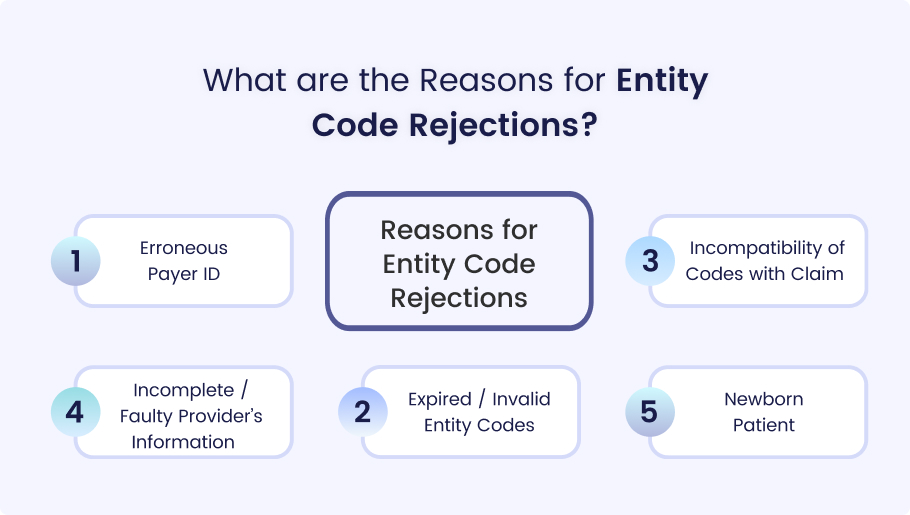
Entity rejections cluster around five root causes, each mapping to a specific claim field. Most billing teams see the same patterns repeatedly — and recurrence usually signals a systemic gap rather than a one-time typo.
Invalid NPI
The National Provider Identifier is a 10-digit number assigned through the CMS NPPES system.
An NPI that is missing, not enrolled with the payer, or not linked to the billing group triggers an immediate rejection (Box 33a for billing, Box 24J for rendering). Invalid or missing NPI is the most frequent entity rejection on professional claims.
Practices that add new providers or expand payer contracts without updating enrollment create a recurring rejection cycle that persists until the gap is closed.
Subscriber mismatch
When the member ID, date of birth, or name on the claim doesn’t match the payer’s enrollment file, the payer can’t identify the patient.
Manual data entry is the usual culprit — a transposed digit in Box 1a, a misspelled name, or an outdated insurance card. Real-time eligibility verification at check-in catches most of these before the claim is built.
Wrong payer ID
Payer IDs route claims through clearinghouses to the correct insurer, but unlike NPI, they aren’t standardized — they vary by clearinghouse, can be alphanumeric, and often differ by product line within the same company.
Submitting a claim with an outdated payer ID sends it to the wrong destination (or nowhere). The fix requires checking the clearinghouse’s current routing table, not the payer ID on the patient’s card.
Taxonomy error
Provider taxonomy codes classify specialty. Some payers require the taxonomy in Box 33b to match the type of service billed.
A claim submitted with a general practice taxonomy for a specialty procedure — or a taxonomy that doesn’t align with enrollment — triggers a rejection that looks confusing because the NPI itself is valid.
Missing EDI data
Electronic claims follow HIPAA X12 837 transaction standards, and each entity occupies a specific data loop.
When a required loop is incomplete — missing subscriber data in Loop 2010BA, billing provider data in Loop 2010AA, or rendering provider identity in Loop 2310B — the clearinghouse rejects the claim before the payer sees it.
Rejection messages tend to be vague (“required entity missing”), making them harder to debug without checking which loop failed.
Troubleshooting
Entity Rejection — Cause → Field → Fix
How do you fix an entity code rejection step by step?
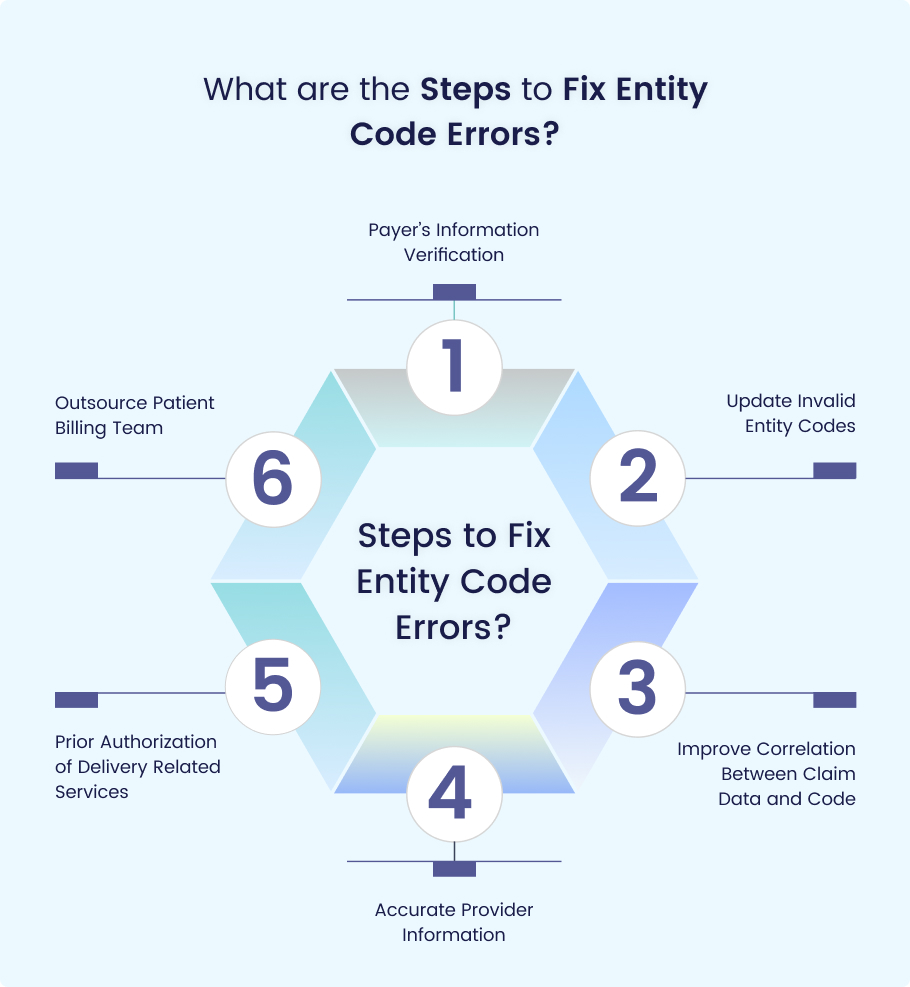
Entity rejections follow a predictable debugging workflow — isolate the failed entity, trace it to a data field, correct it, and resubmit before the filing window closes.
Read the rejection message in the 277CA claim acknowledgment
Review the 277CA rejection message to identify which entity failed validation. Messages such as “subscriber not found” or “provider not eligible” usually indicate whether the issue involves the patient, provider, payer, or claim routing information.
Map the rejection to the entity category
Determine whether the rejection relates to the patient, billing provider, rendering provider, or payer. This narrows the investigation to the relevant CMS-1500 fields or EDI loops and speeds up correction.
Validate the data against the source
Verify the rejected information using authoritative sources. Check NPI data in the CMS NPI Registry, run eligibility verification for subscriber errors, and confirm payer IDs against the clearinghouse’s current payer directory.
Submit the corrected claim as a new submission
Because entity rejections occur before claim adjudication, the corrected claim should be resubmitted as a new claim rather than a corrected claim or appeal. Confirm it remains within the payer’s filing deadline.
Log the rejection reason and corrective action
Record the rejection reason, corrected field, verification source, and resubmission date. Tracking these details helps identify recurring errors and reduce future rejections.
If the same rejection type keeps appearing across multiple claims, individual fixes won’t solve the problem — the billing team is looking at an enrollment gap, an outdated payer ID, or a provider whose NPI was never linked to the group.
What do common entity rejection messages mean?
Billing teams see these messages in clearinghouse reports and 277CA acknowledgments. Each points to a specific entity failure, and knowing which entity to investigate first saves hours of guesswork.
| Rejection message | Entity involved | Likely cause | First check |
| “Subscriber/member not found” | Patient | Member ID or DOB mismatch | Run eligibility verification |
| “Entity not found” | Any | Missing identifier in required field | Check all entity fields |
| “Entity not eligible” | Provider or patient | NPI not enrolled or coverage inactive | Verify enrollment and eligibility |
| “Invalid billing scheme ID” | Payer | Wrong payer ID in routing | Confirm ID against clearinghouse table |
| “Provider not eligible for billing” | Provider | NPI not linked to group or not enrolled | Check NPPES and payer enrollment |
| “Missing or invalid NPI” | Provider | NPI field empty or invalid | Verify Box 33a/24J |
| “Required entity missing” | Any | Incomplete EDI 837 entity loop | Identify which loop is missing data |
| “Rendering provider missing” | Rendering provider | Box 24J empty or NPI absent | Add rendering NPI to claim |
How do you prevent entity code rejections before submission?
Entity rejections are pre-adjudication failures — almost entirely preventable through front-end validation. The claim failed because the data was wrong before submission, not because the payer made a determination. Four controls prevent the vast majority of entity rejections.
In practice, the biggest gap isn’t the absence of these controls — it’s inconsistency. A practice running eligibility checks on 80% of visits still generates rejections on the other 20%.
Prevention Stack
4 Controls That Stop Entity Rejections Before Submission
Catches subscriber ID, DOB, and coverage mismatches before the claim is created. Prevents “entity not found” rejections.
Maintains NPI enrollment status per payer. Flags new providers and group changes. Prevents “provider not eligible” rejections.
Clearinghouse validation catches missing entity loops, invalid NPI formats, and incomplete EDI data before the claim ships.
Quarterly updates to clearinghouse routing tables. Prevents “invalid billing scheme ID” and payer routing failures.
What’s the difference between entity code, NPI, and taxonomy?
Billing teams frequently mix up these three terms, which leads to troubleshooting errors. Each identifies something different on the claim.
| Concept | What it identifies | Format | Where it goes |
| Entity code | The role a party plays in the claim transaction | Defined by claim structure (CMS-1500 fields, EDI loops) | Entire claim structure |
| NPI | The identity of a specific provider | 10-digit numeric | Box 33a, Box 24J |
| Taxonomy code | The specialty classification of a provider | 10-character alphanumeric | Box 33b (when required) |
An entity code error means the claim can’t identify a party. An NPI error means the provider’s identity number is wrong or missing.
A taxonomy error means the specialty classification doesn’t match enrollment. All three cause rejections, but a billing team that treats them interchangeably will chase the wrong field.
Entity rejections are a process problem, not a claim problem
Entity code rejections are usually a symptom of broken revenue cycle controls — not isolated claim errors. The right processes catch these issues before claims are submitted, protecting cash flow and reducing rework.
- Pre-submission claim validation
- Eligibility verification before every visit
- Provider enrollment and payer tracking
- Dedicated account managers with full visibility
- Same-day rejection correction and resubmission
If recurring entity rejections are slowing reimbursements and creating avoidable revenue loss, contact us to see how MedHeave operates as a fully integrated revenue department inside your practice.
Frequently asked questions
Here are some commonly asked questions about entity code:
An entity code identifies a party in a claim transaction — the patient (subscriber), billing provider, rendering provider, or payer. In electronic claims (EDI 837), each entity occupies a structured data loop with required identifiers like NPI for providers, member ID for subscribers, and payer ID for insurance companies. When any identifier is missing, invalid, or mismatched, the claim is rejected before the payer processes it. The term “entity code” is not a formal CMS classification but a practical label used by clearinghouses and billing teams to describe identification-related claim failures.
“Entity not found” means the clearinghouse or payer could not match one of the identifiers on the claim to a record in their system. The failed entity could be the patient (member ID or DOB doesn’t match payer enrollment), the provider (NPI not enrolled or not linked to the billing group), or the payer itself (incorrect payer ID in routing). Check the 277CA acknowledgment for the specific entity reference — it usually tells you which one failed.
No. An entity rejection happens before the payer accepts the claim — no claim number is assigned and no appeal rights apply. A denial happens after the payer processes the claim and makes a coverage or coding determination. Rejections require correction and resubmission as a new claim, while denials go through the appeals process. The filing deadline implications differ too — a rejected claim is not considered filed, so the correction must be resubmitted within the original filing window or the revenue is permanently lost.
“Invalid billing scheme ID” is a clearinghouse rejection indicating the payer ID used to route the claim doesn’t match any active payer in the routing table. Payer ID mismatches happen when an insurer changes its electronic billing identifier, when the practice uses an outdated ID from a patient’s old card, or when the wrong product line payer ID is selected for an insurer with multiple plan types. Verify the current payer ID through the clearinghouse’s payer search tool and update the claim before resubmitting.
Four controls prevent the vast majority of entity rejections — real-time eligibility verification at check-in (catches subscriber mismatches), provider enrollment tracking per payer (catches NPI and credentialing gaps), pre-submission claim scrubbing through the clearinghouse (catches missing entity data and format errors), and quarterly payer ID table updates (catches routing failures). Practices that implement all four consistently see entity rejection rates drop to near zero because entity failures are data quality problems, not clinical or coding problems.
Yes. Because rejected claims are not considered filed, the filing deadline clock continues running. If the entity error is not identified and corrected before the payer’s timely filing limit expires, the claim cannot be resubmitted and the revenue is permanently lost. The danger is especially high when entity rejections sit unworked in a clearinghouse queue — the billing team may not realize the claim was never accepted until the filing window has already closed.

