
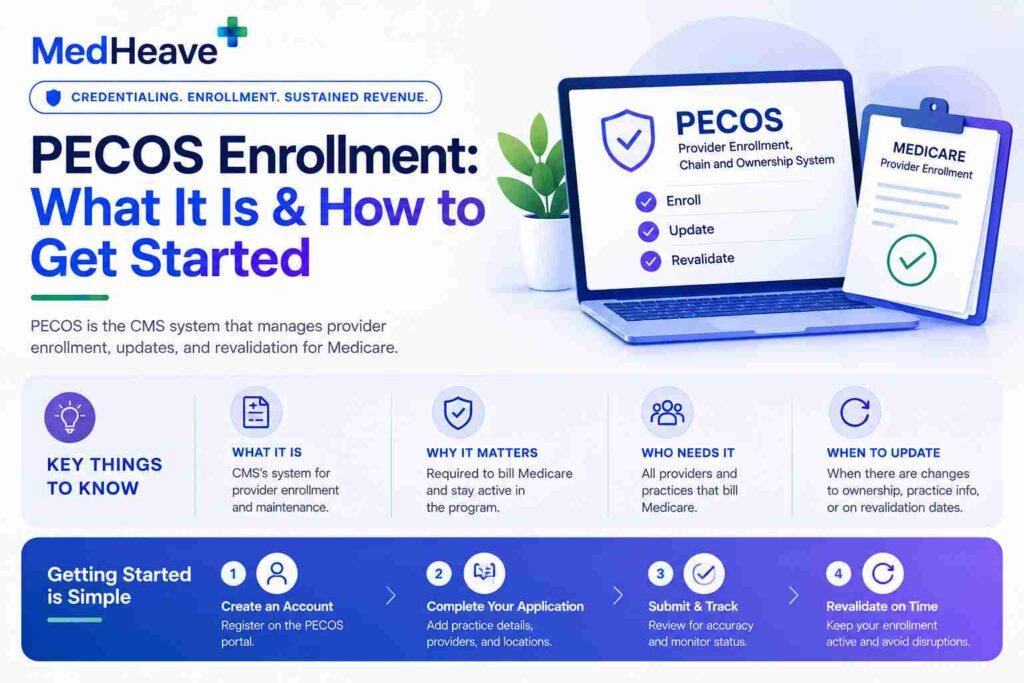


If you’re not enrolled in PECOS, Medicare will not pay your claims — regardless of your credentials, your NPI, or the quality of your care. PECOS enrollment errors are predictable.
Name mismatches between NPPES and PECOS, outdated licensing data, missing signatures, and late responses to MAC development requests are the same mistakes that cause delays across practices every year.
Each one is preventable.
In this guide, we’ll go through how PECOS works, the complete enrollment process, and the specific mistakes that stall applications.
- What PECOS is
- Timeline expectations by scenario
- Why it controls Medicare billing access
- How PECOS differs from NPPES (and why they don’t sync)
- The most common enrollment mistakes and how to avoid them
- The step-by-step enrollment process with CMS-855 form selection
- Revalidation requirements and what happens when you miss the deadline
- Who must be enrolled (including ordering and referring providers who never bill directly)
TLDR: PECOS
- PECOS is CMS’s online system for managing Medicare provider enrollment
- Without active enrollment, Medicare claims are denied — no exceptions
- PECOS issues a PTAN that pairs with your NPI for billing identification
- NPPES and PECOS are separate systems that do not auto-sync
- Enrollment timelines range from 60–120+ days depending on application type and completeness
- Revalidation is required every 5 years (3 years for DMEPOS) — missing it results in immediate deactivation
- Ordering and referring providers must be enrolled even if they never bill Medicare directly
What is PECOS?
Provider Enrollment, Chain, and Ownership System is CMS’s online system for managing Medicare provider enrollment.
PECOS enrollment sits within the broader provider credentialing and payer-enrollment workflow, but its specific function is managing Medicare enrollment.
It allows providers to enroll in Medicare, revalidate enrollment, update practice information, and manage participation status electronically. It replaced the paper CMS-855 form series as the primary enrollment mechanism.
Medicare enrollment is distinct from payer contracting and paneling, even though practices often manage these processes alongside credentialing.
When enrollment is complete, PECOS issues a PTAN (Provider Transaction Access Number). The PTAN, combined with the NPI, is what the Medicare billing system uses to identify the provider. Without a valid PTAN, claims cannot be processed.
PECOS error? Your Medicare billing stops.
Incomplete or inaccurate PECOS enrollment is the single most common reason new providers cannot bill Medicare despite being licensed and credentialed. MedHeave completes the enrollment, resolves application discrepancies, and confirms approval before your first Medicare claim is submitted.
Why enrollment affects more than just the billing provider
Any clinician who orders tests, prescribes DME, or refers patients to specialists must also be enrolled.
Claims deny when the ordering or referring provider is not in PECOS, lacks a valid ordering and referring specialty, or when the name on the claim doesn’t match PECOS records.
Active enrollment also affects compliance standing. The DOJ 2026 National Health Care Fraud Takedown involved 455 defendants and over $6.5 billion in alleged fraud.
CMS suspended 1,079 providers and revoked billing privileges for 1,403 as part of related administrative actions. PECOS is the system CMS uses to execute revocations and suspensions.
How does PECOS differ from NPPES?
Here is an overview of how PECOS is different from NPPES:
| Feature | NPPES | PECOS |
| Purpose | Assigns a permanent identifier | Confirms Medicare enrollment status and allows billing |
| What it issues | NPI (National Provider Identifier) | PTAN (Provider Transaction Access Number) |
| Who manages it | CMS / NPPES database | CMS / Medicare Administrative Contractors (MACs) |
| When required | Before applying for Medicare enrollment | Before submitting Medicare claims |
| Auto-sync | No — updates to NPPES do not update PECOS | No — must be updated separately |
According to the CMS PECOS Fact Sheet, legal business names and provider names must match between NPPES and PECOS. Updates made in NPPES do not carry over. They must be updated separately.
Who must register in PECOS?
The following need to register in PECOS:
- DMEPOS suppliers
- Physicians (MD, DO)
- Psychologists and clinical social workers
- Nurse practitioners and physician assistants
- Clinical nurse specialists and certified nurse-midwives
- Institutional providers (hospitals, SNFs, home health agencies)
- Physical therapists, occupational therapists, and speech-language pathologists
- Any provider who orders tests, prescribes DME, or refers patients — even if they never bill Medicare directly
How do you enroll step by step?
Here is the enrollment process for PECOS, step by step:
Step 1 — Confirm or obtain an NPI
Every individual practitioner needs a Type 1 NPI before applying, so providers who still need to obtain an NPI should complete that process first. Organizations use a Type 2 NPI. The NPI record should be accurate and current before the application begins.
Step 2 — Create an I&A account
Access to PECOS requires an Identity & Access Management (I&A) account. The I&A system verifies user identity and controls who can access Medicare enrollment records.
Step 3 — Register for PECOS access
Sign in and link the I&A account to the individual provider or enrolling organization.
Step 4 — Start the enrollment application
Select the correct CMS enrollment form.
| Form | Purpose |
| CMS-855I | Individual practitioners |
| CMS-855B | Clinics and group practices |
| CMS-855A | Institutional providers |
| CMS-855O | Ordering and referring providers who do not bill Medicare |
| CMS-855R | Reassignment of benefits |
| CMS-855S | DMEPOS suppliers |
PECOS is Medicare-specific; Medicaid credentialing follows separate state and program enrollment requirements and should not be treated as the same application process.
Step 5 — Upload supporting documentation
State licenses, practice addresses, ownership disclosures, and taxonomy codes matching the specialty reported in the application.
Step 6 — Submit and monitor status
The application goes to the appropriate MAC for review. Regularly monitoring status in PECOS helps identify requests before they delay approval.
Step 7 — Respond to MAC requests within 30 days
If the MAC issues a development request, respond promptly. According to the CMS Medicare Learning Network, providers generally have 30 days. Missing this window may result in the application being rejected.
What are the enrollment timelines?
Based on the scenario, here are the timelines:
| Scenario | Typical timeline | Key factor |
| Straightforward new enrollment | 60–90 days | Complete, accurate application |
| MAC development request issued | 30 days added | Must respond within 30 days |
| Complex ownership structures | 90–120+ days | Multi-location or chain ownership triggers additional disclosure review |
| Revalidation (existing provider) | 45–60 days | Faster if information is current |
Providers must report practice location changes within 30 days and other enrollment changes within 90 days.
How does PECOS revalidation work?
Revalidation is required every 5 years for most providers. DMEPOS suppliers revalidate every 3 years. CMS posts due dates approximately 7 months in advance.
PECOS revalidation is a Medicare enrollment requirement; payer recredentialing is a separate recurring credentialing process that may follow a different schedule.
There is no grace period.
A missed revalidation results in immediate deactivation of billing privileges, and Medicare claims are denied from that point forward until revalidation is completed and approved.
Revalidation is also the right time to audit the enrollment record for outdated information — licenses, addresses, and practice locations that have changed since the last cycle must be updated. Submitting revalidation with stale data creates the same denial risk as missing it entirely.
What are the most common PECOS enrollment mistakes?
- Missing revalidation deadlines
- Missing or incomplete signatures
- Outdated NPI or licensing data in PECOS
- Complex ownership structures with incomplete disclosures
- Not responding to MAC requests within the 30-day window
- Name mismatches between NPPES and PECOS (a middle initial difference triggers a development request)
Most share a common root — information that was accurate at enrollment but never updated.
A provider credentialing checklist and regular internal audit of PECOS records, cross-checked against current NPPES data and state licensing, catches the majority before they reach the MAC.
PECOS enrollment errors are preventable with the right process
Name mismatches, missed revalidation dates, and incomplete ownership disclosures are the most common causes of enrollment delays and claim denials.
MedHeave’s medical credentialing services help practices manage Medicare enrollment, revalidation, and credentialing workflows so the administrative side doesn’t interrupt the clinical side.
- NPPES-to-PECOS consistency audits
- MAC development request response management
- Revalidation tracking with advance alerts before CMS deadlines
- Performance-based pricing (4–7% of collections) with no lock-in
- Full PECOS enrollment management from application through PTAN issuance
Contact us to schedule a free consultation.
Frequently asked questions
Here are some commonly asked questions about PECOS:
PECOS stands for Provider Enrollment, Chain, and Ownership System. It is CMS’s online system for managing Medicare provider enrollment, revalidation, and participation status. It replaced the paper CMS-855 form series as the primary enrollment mechanism and stores provider information for over one million individuals including ownership structures, billing arrangements, and practice locations.
No. NPPES issues your NPI and identifies who you are. PECOS manages your Medicare enrollment status and confirms whether you’re authorized to bill Medicare. Updates to NPPES do not automatically carry over to PECOS — they must be updated separately. Legal names must match between both systems, and a mismatch is one of the most common causes of enrollment delays and development requests from MACs.
Most providers must revalidate every 5 years. DMEPOS suppliers must revalidate every 3 years. CMS posts due dates 7 months in advance. Missing the deadline results in immediate deactivation of billing privileges with no grace period. Medicare claims deny from that point forward until revalidation is completed. Submitting revalidation with outdated information (expired licenses, old addresses) creates the same risk as missing the deadline entirely.
Medicare claims deny. Providers who are not enrolled also cannot serve as ordering or referring providers on Medicare claims, which affects other providers’ billing for services ordered or referred by the unenrolled clinician. A physician who orders a lab test but isn’t in PECOS will cause the lab’s Medicare claim to deny — even though the lab itself is properly enrolled and the test was medically necessary.
Yes. Any provider who refers patients or orders Medicare-covered services must be enrolled in PECOS, even if they never bill Medicare directly. Claims deny if the ordering or referring provider’s NPI does not appear in PECOS with a valid specialty. The CMS-855O form exists specifically for ordering and referring providers who need enrollment without billing privileges. Missing this requirement is one of the most common sources of Medicare claim denials that practices don’t initially trace back to PECOS.