



Kaiser Family Foundation (KFF’s) most recent analysis of ACA marketplace data found that insurers denied 17% of in-network claims in 2023, with individual insurers ranging from under 5% to more than 40%.
That’s roughly one claim in six coming back with a “no” attached, and every one of them costs staff time, delays cash, and flirts with a timely filing deadline.
The problem is rarely that a practice picked bad medical billing software. The problem is that most practices pick billing software based on the demo and the headline price, then discover weeks later what the fee schedule adds, which errors the software fixes on its own, and what the contract says about getting data out.
A claim screen that looks spotless during a sales presentation tells you almost nothing about whether the scrubber knows your payers’ rules, whether remittances post without anyone retyping them, or what each extra tax ID, eligibility check, and attachment will cost.
Choosing the best medical billing software means testing all of it, not just the part with the nice animation. And therefore, we’ve prepped this guide that will walk you through:
Five things you’ll walk away with.
- Features, pricing, and buyer fit for 10 medical billing software
- Published plans, add-on fees, and per-transaction charges for each tool
- Ownership and service changes that older reviews still get wrong
- What real users say on Capterra, the praise and the grumbling
Quick skim: 10 medical billing software and tools compared
The table shows each tool’s primary fit, pricing, and the documented capability that separates it from the pack. Per-provider, per-month, and per-transaction prices don’t compare directly, so convert each to a total for your practice before choosing.
| Medical billing Software | Best Fit | Pricing Model | Distinguishing Capability |
| AdvancedMD | Multi-provider and multi-location practices | $130 to $1,070 per provider/month, by specialty package | Full front-to-back cloud billing workflow |
| Tebra | Small practices and billing companies | $49 to $799 per provider/month | Automated corrections plus a billing-company platform |
| CollaborateMD | Billing companies and practices | From about $299/provider/month (practices), from $0.32/claim (billing companies) | Built-in clearinghouse and multi-client tools |
| PracticeSuite | Billing services, multi-location groups | Custom quote | Configurable multi-client billing |
| CureMD | Practices wanting software plus services | Software custom quote, billing services from 3% of collections | EHR, PM, and billing services from one vendor |
| RXNT | Practices wanting published pricing | $118 to $319/month, annual plans from $1,275/year | Transparent subscription pricing |
| NextGen Office | Practices with fewer than 10 providers | Custom quote | Cloud EHR and PM with optional billing services |
| Office Ally | Low-volume practices | Free claims and Practice Mate, EHR $44.95/provider/month, usage fees | Free-to-start clearinghouse with Practice Mate |
| Availity Essentials | Any provider | Free core portal, paid tiers | Multi-payer eligibility and claim status |
| Claim.MD | Billing services, small practices | $30 to $120/month plus usage fees | Direct claim entry with clearinghouse |
1. AdvancedMD
AdvancedMD is a cloud-based practice management and billing suite with an optional EHR and patient engagement tools. Eligibility checks, claim scrubbing, submission, ERA posting, and patient payments all run in one system, so nobody has to play relay race between tabs.
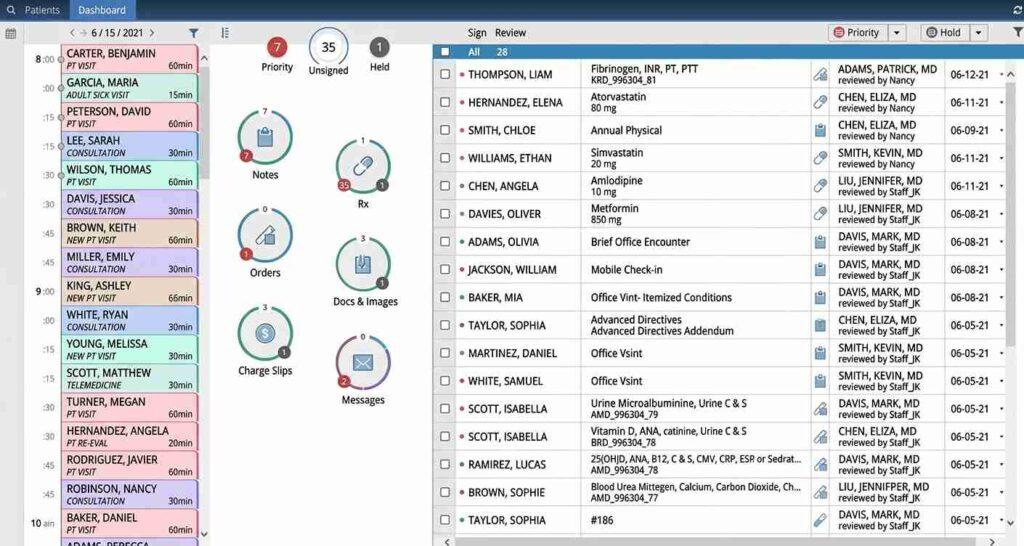
Also, Global Payments sold AdvancedMD to Francisco Partners in December 2024. Ask about the product roadmap and support commitments under the new owner before you sign.
The depth suits multi-provider and multi-location practices. The tradeoff is setup effort, and specialty-based pricing means two practices down the hall from each other can get very different quotes.
Key features
AdvancedMD follows the claim from check-in to posting.
- Multi-location reporting
- Optional RCM services from AdvancedMD
- Automated ERA posting and denial work queues
- Integrated patient payments and online check-in
- Real-time eligibility verification and claim scrubbing
Pricing
AdvancedMD prices by specialty package, per provider per month.
| AdvancedMD Plan | Cost per Provider/Month | Limitations |
| Medical Specialties | $429 to $1,070 | Price varies by specialty and selected features, and add-ons may cost extra |
| Mental Health | $130 to $399 | Pricing depends on the software bundle and included features |
| Physical Medicine | $399 | Specialty-specific package |
| MedSpa | $278 | Designed for MedSpa workflows, and additional features may raise costs |
The spread between $130 and $1,070 is the whole story. Your specialty and feature list decide where you land, so get the quote itemized.
Pros and cons
Breadth is the selling point, and onboarding is the cost of admission.
| Pros | Cons |
| Full billing workflow in one cloud suite | Wide price range by specialty makes quotes hard to compare |
| Scales across locations | Learning curve for new staff |
| Optional RCM services available | Ownership changed in December 2024, so confirm the roadmap |
User reviews about AdvancedMD
As of October 2026, AdvancedMD Billing Services holds a 4.1/5 overall rating from 85 reviews on Capterra, with a 4.1/5 customer service score.
Users frequently highlight the billing tools, eligibility checks, claim management, and scheduling. Some praise the functionality and helpful support staff, while others report unresolved technical issues, limited control over workflows, and slow fixes. Support experiences land on both ends of the scale.
AdvancedMD isn’t universally loved or loathed. It fits best when your billing needs match its depth, and your expectations for support match what reviewers describe.
2. Tebra
Tebra formed in 2021 when Kareo and PatientPop combined. It offers integrated EHR and billing alongside practice management, online booking, reviews, and patient marketing, so the same login fills the schedule and chases the payment.
Tebra has exited the medical billing services business to concentrate on software, so practices wanting outsourced billing are connected to third-party firms through its billing partner program.
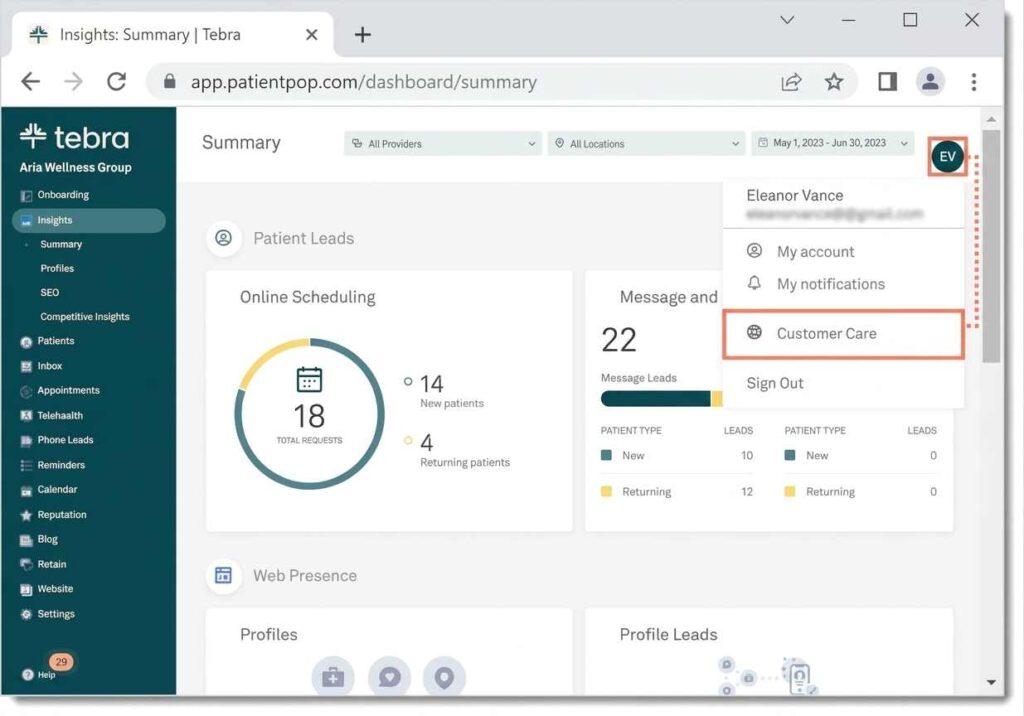
Tebra also runs a dedicated platform for billing companies, with multi-client management, unlimited tax IDs and practice locations, centralized claims management, and billing-company pricing. Tebra reports that more than 2,700 medical billing companies use it.
The automation goes beyond flagging problems. Tebra advertises automated claim corrections and resubmissions, which handle a share of routine errors before a human has to sigh at them.
Key features
Tebra serves small practices and the billing companies that work for them.
- Online booking and reputation tools
- Claims, eligibility, and payment posting
- Automated claim corrections and resubmissions
- Outsourced billing through Tebra’s billing partners
- Billing-company platform with multi-client management
Pricing
Tebra publishes starting prices per provider per month, and the number moves with provider type.
| Plan | Price (per provider/month) | Limitations |
| Patient Experience + Marketing | $49 to $99 starting price | Patient engagement and marketing tools, with price varying by provider type |
| EHR Starter | $99 to $199 starting price | Starter pricing for practices submitting fewer than 100 claims/month, and requires Billing Starter |
| Billing Starter | $99 to $199 starting price | Starter pricing for practices submitting fewer than 100 claims/month |
| Practice Essentials | $225 to $599, depending on provider type | Includes clinical EHR, billing, and telehealth |
| Practice Automation | $249 to $799, depending on provider type | Includes Essentials features plus patient experience and engagement tools |
Read the Starter fine print. EHR Starter only works alongside Billing Starter, and both assume fewer than 100 claims a month.
Pros and cons
The product covers more buyer types than its reputation suggests.
| Pros | Cons |
| Billing and patient growth tools together | Support quality has varied since the merger |
| Dedicated platform for billing companies | Pricing increases reported at renewal |
| Automated corrections and resubmissions | Billing services now come from partners, not Tebra |
User reviews about Tebra
As of October 2026, Tebra holds a 3.9/5 overall rating from 1,388 reviews on Capterra, with a 3.8/5 customer service score and a 4.1/5 ease-of-use score.
Practice managers and providers frequently appreciate having EHR, scheduling, billing, and patient engagement under one roof.
Some praise the intuitive interface, efficient workflows, and helpful support. Others report billing complexity, limited reporting customization, technical glitches, and support tickets that take their time.
With nearly 1,400 reviews, Tebra has both fans and critics in large numbers. Fit depends on your specialty, workflow, budget, and how much billing horsepower you need.
3. CollaborateMD
CollaborateMD is online medical billing software for practices that handle claims internally and companies that do the work for outside clients.
It treats billing as an ongoing administrative process, where an account may pass between several people before it is settled. That makes the organization of the work just as important as getting a claim out the door.
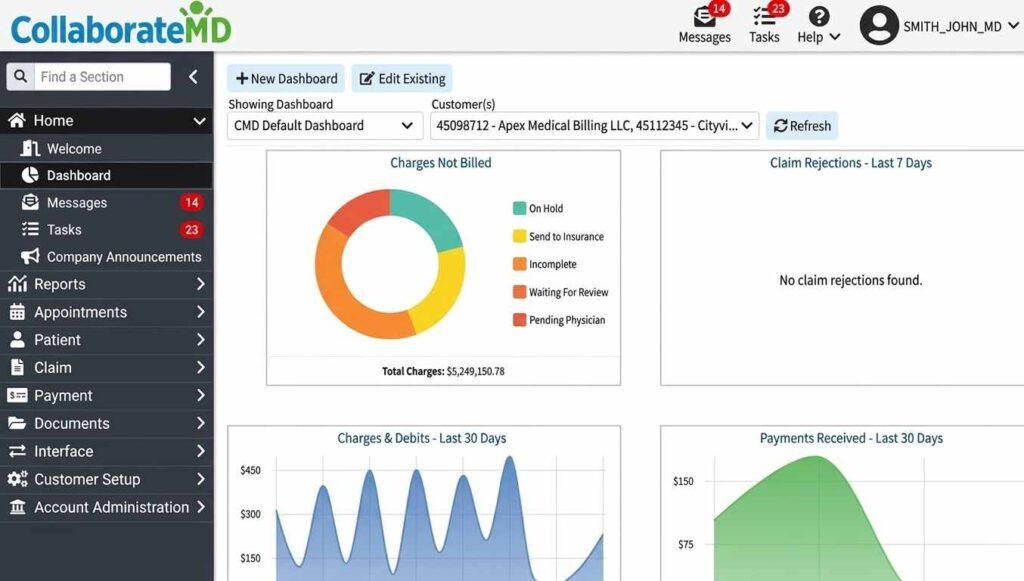
Within a practice, the important handoff is between the staff who document a visit and those who turn the information into a bill. For an outside billing company, the challenge includes receiving complete information from clients who may work in different ways.
CollaborateMD is best understood as a workspace for managing those handoffs. The goal is to keep each account moving without losing track of who needs to act next.
Key features
CollaborateMD is built for teams that live in claim queues.
- Customizable reporting
- Claim tracking and follow-up
- Built-in clearinghouse and claim scrubber
- Multi-practice management for billing companies
- Unlimited ERA auto-posting and real-time eligibility checks
Pricing
According to CollaborateMD’s official pricing page, pricing for medical practices typically starts at around $299 per provider per month. Exact costs depend on practice size, claim volume, and selected features.
| Plan | Price | Limitations |
| Core | Custom quote | 150 MB document storage, custom reports, unlimited ERA auto-posting, and real-time eligibility checks |
| Optimize | Custom quote | Core features plus 200 MB storage, Level 2 claim scrubbing, claim follow-up, and enhanced reporting |
| Pro | Custom quote | Core and Optimize features plus 1 GB storage, unlimited claim attachments, paper claims, and more patient communication tools |
| Medical Billing Package | From $0.32 per claim | Transaction-based pricing for medical billing companies, with rates falling as claim volume grows |
| EHR/EMR Preferred Partner Interfaces | Free | Applies to preferred integration partners, and other integrations may cost extra |
A few more line items worth knowing.
- Custom WebAPI integrations range from $0 to $5,000, depending on scope
- Quest Diagnostics and LabCorp interfaces are listed at $2,500, though the labs normally pay this fee
- Unlimited user access, software updates, training, and support are included, according to the official pricing page
Unlimited users and included training are rare perks, so count them when comparing quotes.
Pros and cons
Billing teams get control, and clinicians get no charting.
| Pros | Cons |
| Strong multi-client tools | No native EHR |
| Transaction pricing suits billing companies | Full package price requires a quote |
| Built-in clearinghouse | Interface feels dated to some users |
User reviews about CollaborateMD
As of October 2026, CollaborateMD holds a 4.1/5 overall rating from 113 reviews on Capterra, with a 3.8/5 customer service score and a 4.1/5 ease-of-use score.
Practice managers and billers frequently praise its claims management, electronic billing, scheduling, and customizable reports.
Some like the user-friendly interface and how smoothly it connects to existing EHRs. Others report a bumpy implementation and training period, limited integrations, extra charges for certain services, and support that’s helpful one day and slow the next.
CollaborateMD’s fit depends on your billing volume, integration needs, and patience during setup.
4. PracticeSuite
PracticeSuite is a cloud-based platform for the administrative side of medical practices and the organizations that handle billing for them. Its broader structure is aimed at teams whose day-to-day operations cannot always be reduced to one standard process.
A medical group with several offices, for example, may need common policies while allowing individual locations to manage their own workloads.
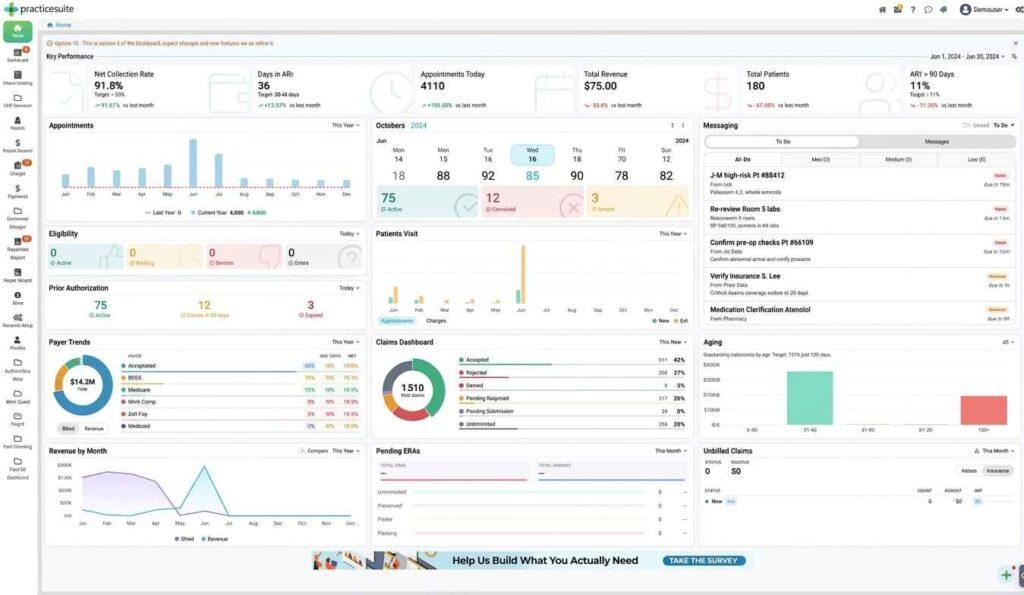
For a billing service, the challenge is slightly different. Each client may supply information, approve changes, and resolve account questions in its own way. The platform is relevant where those differences need to be managed without treating every client as an entirely separate operation.
When considering PracticeSuite, it helps to map the actual journey of a charge, including the people who need to review it and the points where work can stall.
Key features
PracticeSuite gives billing teams plenty of dials to turn.
- Reporting dashboards
- Claims, scrubbing, and ERA posting
- Multi-location and multi-client views
- Patient statements and payments
- Optional EHR module
Pricing
PracticeSuite’s official pricing page pricing is customized by practice size, specialty, provider count, and required features.
The website doesn’t publish fixed prices for its main medical billing packages, and estimated starting prices on third-party directories aren’t verified vendor pricing.
Pros and cons
Flexible for billing companies, heavier for single offices.
| Pros | Cons |
| Built for billing companies | Setup can be complex |
| Modular EHR option | No published pricing |
| Multi-location reporting | Support speed varies |
User reviews about PracticeSuite
As of October 2026, PracticeSuite holds a 4.0/5 overall rating from 41 reviews on Capterra, with a 4.3/5 customer service score and a 4.1/5 ease-of-use score.
Practice managers and billers frequently praise its claims processing, payment posting, reports, and customizable workflows. Some say it’s priced well for smaller practices and makes patient billing information easy to find, and several single out helpful, timely support.
The criticism covers a learning curve, complicated billing processes, occasional glitches, and pricing that isn’t always as transparent as reviewers would like.
Fit depends on your size, specialty, billing volume, and appetite for customization.
5. CureMD
CureMD brings the clinical and business sides of a medical practice into the same broader offering. It is particularly relevant when a practice is deciding whether billing should remain an internal responsibility or be handled by another team.
Those two arrangements change who does the work, but both depend on accurate records and clear communication between clinical and administrative staff.
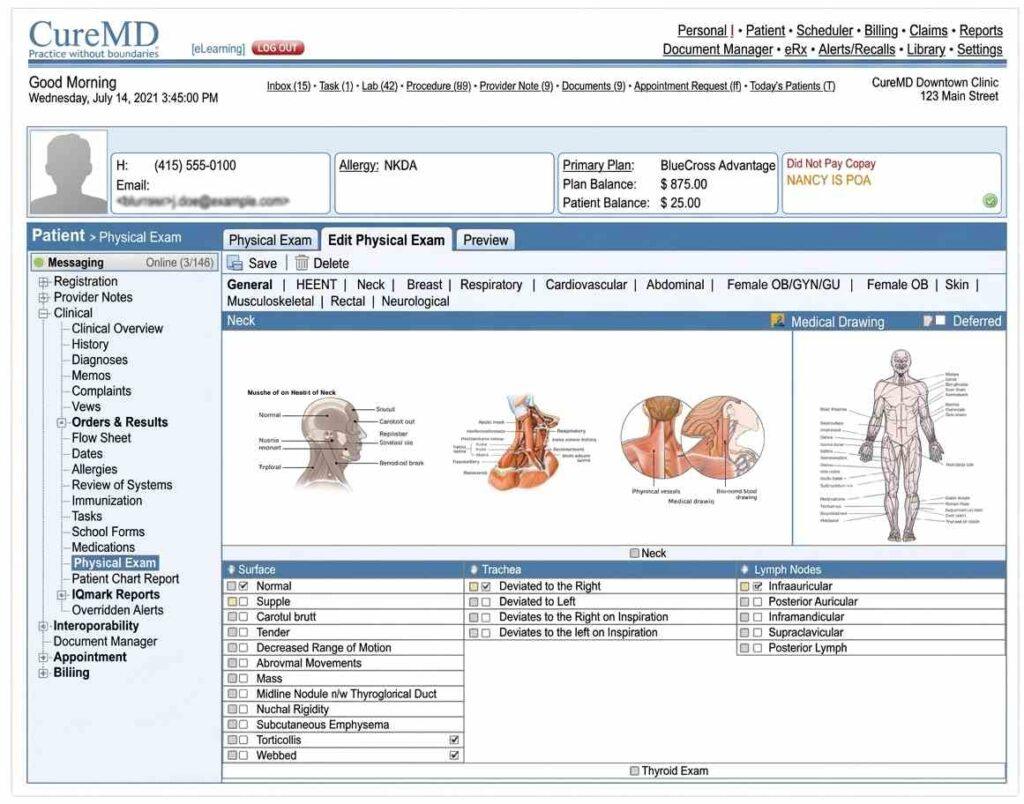
An office considering CureMD should trace what happens after a patient visit: who confirms the documentation, who answers coding questions, and who takes responsibility when payment is delayed.
Those steps often involve more than one person, even when a service provider handles the billing. Looking at those handoffs gives the practice a clearer idea of how CureMD would fit its existing operations before examining individual tools or service terms.
Key features
CureMD pairs software with an optional service team.
- Integrated EHR and practice management
- Claims, scrubbing, and denial tracking
- Patient portal and payments
- Optional billing services
- Specialty templates
Pricing
CureMD’s official pricing page doesn’t list a fixed monthly software cost. Its official FAQ confirms subscriptions are charged per provider per month, with setup and monthly fees depending on each practice’s requirements.
| Offering | Pricing |
| EHR and PM software | Custom quote, per provider/month plus setup |
| Billing services | From 3% of collections |
Pros and cons
The bundle is convenient, and each half deserves its own evaluation.
| Pros | Cons |
| One vendor for software and billing services | Harder to switch if the service disappoints |
| Published starting rate for billing services | Mixed support reviews |
| Broad specialty templates | Software pricing requires a quote |
User reviews about CureMD
As of October 2026, CureMD holds a 3.7/5 overall rating from 93 reviews on Capterra, with a 3.7/5 customer service score and a 3.8/5 ease-of-use score.
Practice managers and providers frequently appreciate the integrated EHR, billing, scheduling, and patient management tools, along with centralized records, customizable templates, claims management, and helpful staff.
The complaints include slow performance, technical glitches, complicated billing workflows, and a rough implementation and training period. Some reviewers also raise reporting limits, unexpected fees, and slow fixes.
CureMD fits practices whose specialty, billing needs, and support expectations line up with what it does well.
6. RXNT
RXNT is a cloud-based healthcare software platform covering both patient care and the business work that surrounds it. It is designed for practices where clinicians, reception staff, and billers contribute to different stages of the same patient encounter.
The value of that approach depends on how well the software fits the actual movement of information through the office.
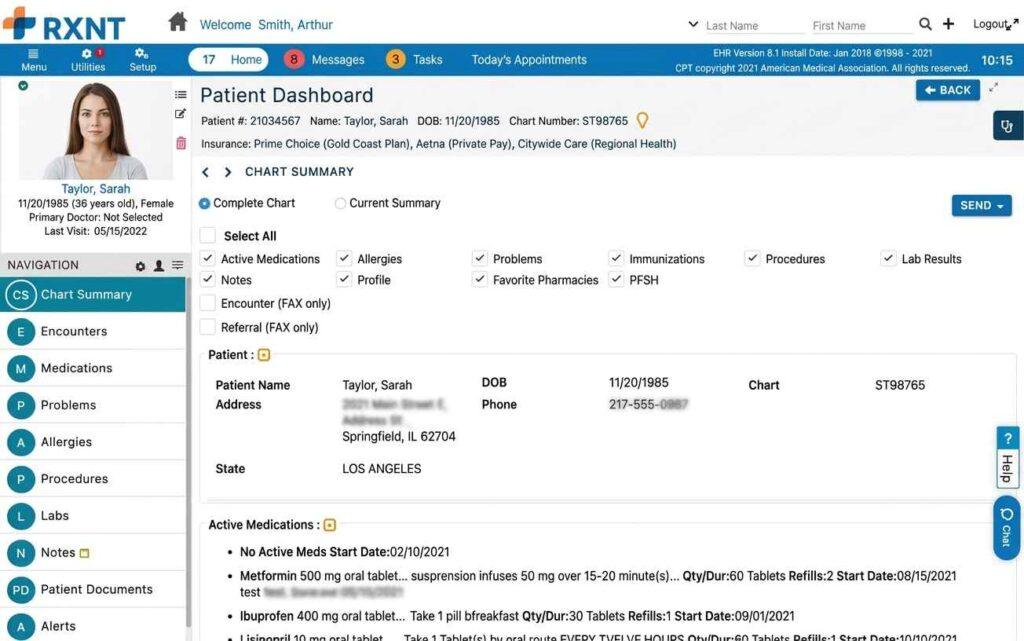
For example, a completed visit generates details that administrative staff need to continue their work. If the clinic already has established systems, it must decide which of those tasks would move into RXNT and which would remain elsewhere.
That decision is more useful than starting with a list of modules alone. RXNT is worth examining through a few ordinary patient visits, from the first contact to the final administrative follow-up.
Key features
RXNT keeps core billing tasks refreshingly uncomplicated.
- Integrated scheduling
- E-prescribing, including EPCS
- ERA posting and patient statements
- Individual products or a bundled full suite
- Claims, denial management, and eligibility checks
Pricing
According to RXNT’s official pricing page, you can buy individual products or the full suite, monthly or annually.
| Plan | Price | Limitations |
| Electronic Health Records (EHR) | $118/month | EHR, e-prescribing, and clinical documentation features |
| Practice Management | $207/month | Scheduling, claims management, denial management, and billing tools |
| Full Suite | $319/month | EHR, practice management, e-prescribing, billing, scheduling, and patient portal |
| EHR, annual subscription | $1,275/year | Annual commitment, with EHR, e-prescribing, training, and support |
| Practice Management, annual subscription | $2,236/year | Annual commitment, with practice management and billing |
| Full Suite, annual subscription | $3,445/year | Annual commitment, with the integrated suite |
The annual plans cost less than twelve monthly payments (the Full Suite saves $383 a year). Remember to add the $85 EPCS verification and any staff license fees.
Pros and cons
Pricing transparency is real, and so are the extras.
| Pros | Cons |
| Published subscription pricing | Add-on fees raise the total |
| Easy to learn | Lighter analytics |
| Integrated e-prescribing | Fewer advanced automation tools |
User reviews about RXNT
As of October 2026, RXNT holds a 4.3/5 overall rating from 513 reviews on Capterra, with a 4.2/5 customer service score and a 4.3/5 ease-of-use score.
Providers and practice managers frequently praise its e-prescribing, billing, scheduling, and integrated EHR.
Users like the straightforward interface, easy prescription management, customizable templates, and how quickly everyday tasks get done. Many also mention helpful support and good value for smaller practices.
The complaints include occasional glitches, login and security verification steps that test everyone’s patience, limited specialty-specific workflows, and slow support resolution at times.
7. NextGen Office
NextGen Office is the small-practice product within NextGen’s healthcare software portfolio. It is aimed at outpatient clinics where a compact team needs to coordinate patient care with the administrative work that follows.
In these offices, one employee may handle several parts of the process, making a clear handoff between clinical and office responsibilities especially important.
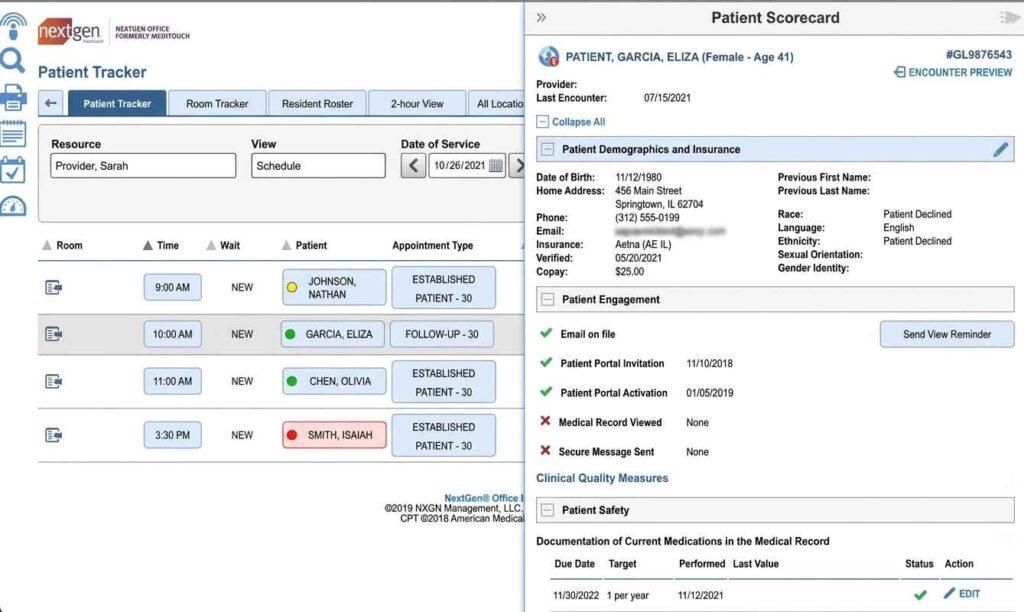
NextGen’s broader product family serves different types of healthcare organizations, so Office should be assessed as its own product.
A practice should consider how its staff divide work today, whether clinicians and billers share information easily, and how those routines might change as the business develops.
That provides a more useful basis for evaluating the system than assuming a product built for a large group will operate the same way in a small clinic.
Key features
NextGen Office packages the essentials for smaller practices.
- Cloud deployment
- Optional billing services
- Patient portal and payments
- Claims and eligibility
- Integrated EHR
Pricing
NextGen doesn’t publish a standard per-provider monthly price for NextGen Office. Prospective customers request a customized quote.
Pros and cons
Simple to start, with a ceiling for growing groups.
| Pros | Cons |
| Cloud-based and quick to start | Built for smaller practices |
| Optional billing services | Upgrade path means a migration |
| Integrated EHR | Quote-only pricing |
User reviews about NextGen Office
As of October 2026, NextGen Office holds a 4.0/5 overall rating from 1,286 reviews on Capterra, with a 4.0/5 customer service score and a 3.9/5 ease-of-use score.
Practice managers and providers frequently praise integrated billing, claims processing, scheduling, and EHR, including efficient charge entry, payment posting, and chart management. Some highlight coordination across multiple offices.
Others report complex reporting tools, glitches after updates, limited customization, and support issues that take a while to resolve. Implementation and training can eat time, and some practices question the subscription cost.
8. Office Ally
Office Ally is built around the exchange of billing information between medical providers and insurance companies. Its place in a practice is easiest to understand as part of the route a claim takes after the care team finishes its documentation.
Staff prepare the information, send it to the payer, and use the payer’s response to determine what still needs attention.
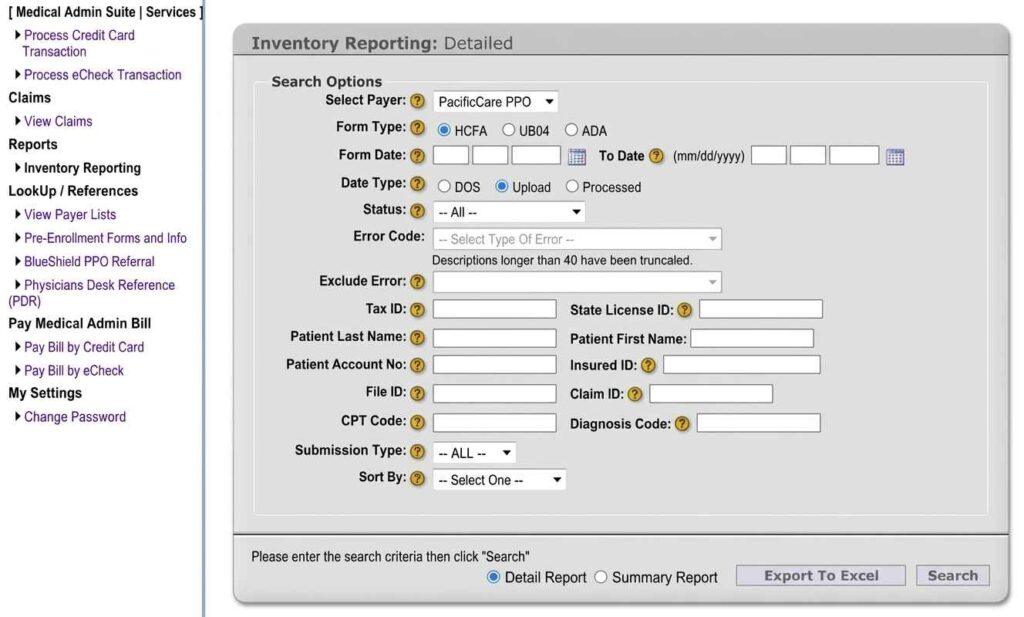
For practices with relatively straightforward billing operations, the question is how much of that route should be handled within Office Ally and how much should stay in existing systems.
Preparing accurate charges, keeping patient balances current, and resolving questions are still ongoing responsibilities.
Thinking through those boundaries before adopting the product helps avoid confusion over where work begins, where it ends, and which employee is responsible for each step.
Key features
Office Ally covers the basics at a low entry cost when your payer mix cooperates.
- Eligibility checks
- Practice Mate practice management
- Claim submission to a wide payer list
- Optional EHR and clinical charting
- ERA retrieval
Pricing
Office Ally’s published fee schedule separates the free parts from the metered ones.
| Plan / Service | Price | Limits / Included services |
| Service Center Clearinghouse | $0 to start | Electronic claims to participating in-network (“Par”) payers; transaction fees may apply |
| Practice Mate | $0 | Practice management, scheduling, patient billing, patient ledger, and reports |
| EHR / Clinical Charting | $44.95/provider/month | Clinical charting, document management, SOAP notes, and lab/HIE interfacing |
| Non-Par Claims | $44.95/month | Fee per unique Tax ID + Rendering NPI combination when non-par claims are submitted during the month |
| Eligibility Verification | $10/month | First 100 transactions; $0.10 per additional transaction |
| Claim Attachments | $0.55/attachment | Charged per attachment |
| Printed Claims | $0.75/claim | Applies when claims cannot be submitted electronically and must be printed and mailed |
Pros and cons
The entry cost is low, and the total depends on your payers.
| Pros | Cons |
| Free claims to participating payers | Non-participating payers trigger monthly fees |
| Wide payer connectivity | Dated interface |
| Practice Mate PM available | Limited automation |
User reviews about Office Ally
As of October 2026, Office Ally Service Center holds a 4.7/5 overall rating from 51 reviews on Capterra, with a 4.7/5 customer service score.
Reviewers praise its ease of use, inexpensive claims processing, and efficient insurance billing workflows. The criticism centers on occasional technical issues, a newer interface that’s harder to find your way around, and support responses that are sometimes slow or incomplete.
Small practices and single-provider offices may find it a strong value for claims submission. Practices needing advanced workflows or frequent technical help should weigh the interface and support caveats.
9. Availity Essentials
Availity Essentials is an insurer-facing portal that helps healthcare providers deal with participating payers through a shared online workspace.
Its role becomes clear in a busy medical office, where staff often spend time moving between insurer websites to obtain information needed for a patient account. Availity brings part of that external communication into one familiar setting.
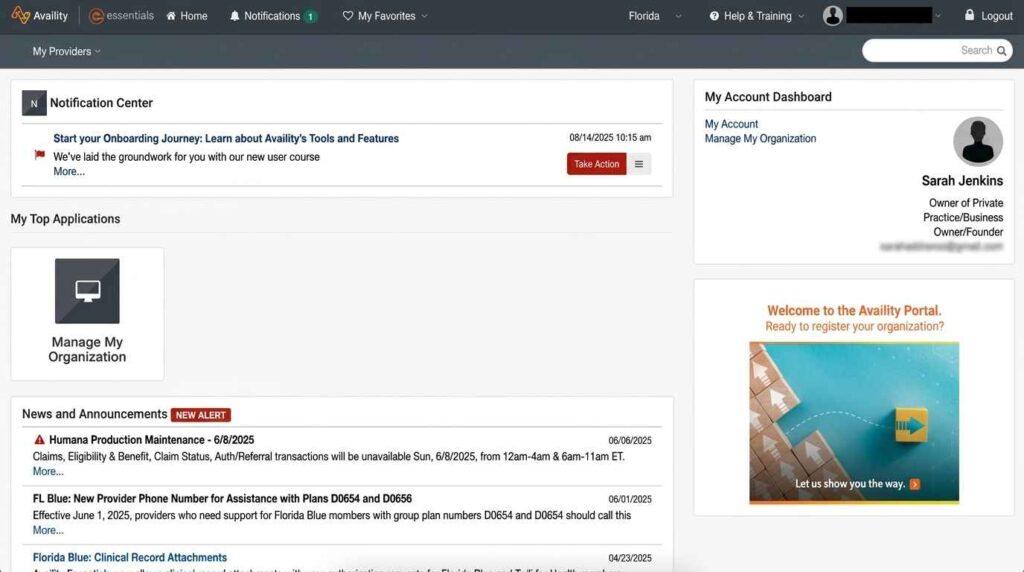
The portal belongs within a practice’s billing process, rather than replacing the systems used to run the practice itself.
Before making it part of daily work, an office should look at the insurers it contacts most often and the kinds of questions its staff routinely send them. That will show where a shared portal could simplify communication and where separate payer-specific steps are still necessary.
Key features
Availity consolidates payer access behind one login.
- Claim submission and status
- Paid Essentials Plus and Pro tiers
- Authorization requests with participating payers
- Insurance eligibility verification and benefits checks
- Remittance viewing
Pricing
Availity confirms that Essentials is free for providers when using participating, sponsoring payers. Essentials Plus is subscription-based, and its current price and transaction allowances are listed in the logged-in portal under View Essentials Plans.
Availity’s published $25/month Essentials Plus price dates from 2022, so don’t treat it as a current 2026 rate.
Pros and cons
Useful and free, but not a complete billing system.
| Pros | Cons |
| Free core access | Not a full billing system |
| One login for many payers | Payer coverage varies by state |
| Paid tiers for added tools | Peak-time slowness reported |
User reviews about Availity Essentials
As of October 2026, Availity holds a 3.7/5 overall rating from 155 reviews on Capterra, with a 3.3/5 customer service score and a 3.6/5 ease-of-use score.
Reviewers praise its multi-payer eligibility checks, benefits verification, and claims management. The criticism centers on inconsistent support, occasional downtime, and workflows that take some hunting to find. The 3.3/5 support score puts numbers behind those complaints.
Practices that mainly need eligibility checks with participating insurers will get good use from it. Practices that rely on fast support or want one portal for every payer will feel the limits.
10. Claim.MD
Claim.MD is a web-based clearinghouse serving medical practices and outside billing teams. It handles the part of the billing process in which prepared claim information moves between a provider and an insurer.
That is a defined role within a much larger workflow, which also includes documenting the visit, maintaining the patient account, and following up after a payer responds.
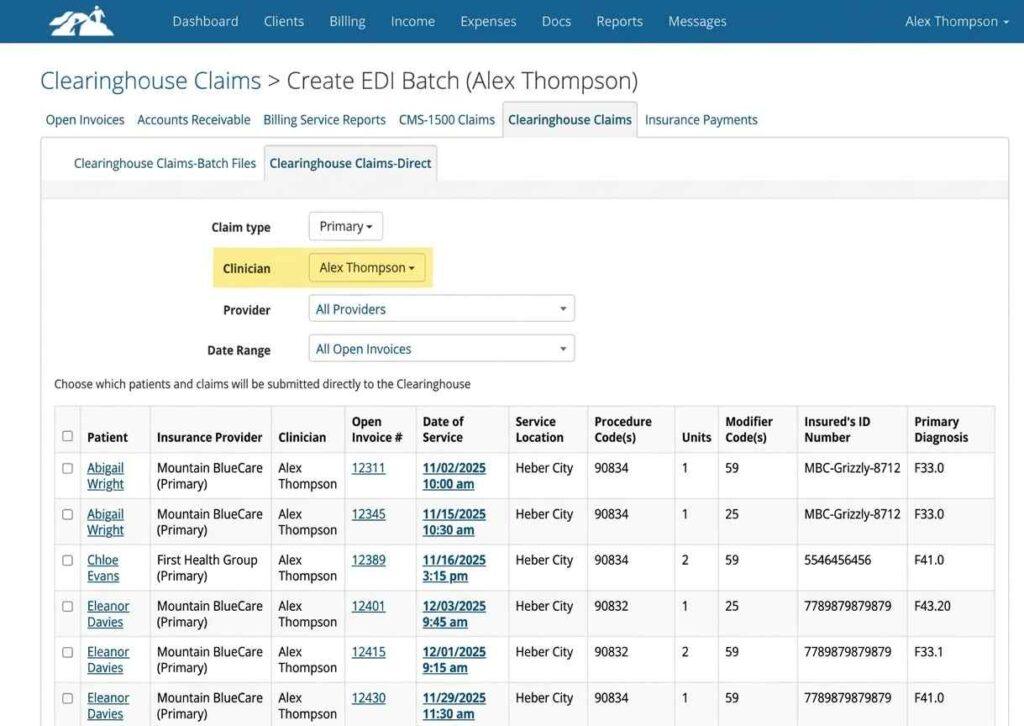
The distinction is important for organizations that already use software to manage patient records. Those systems remain the main source of information, while Claim.MD provides a working point for the claims being exchanged.
A practice or billing company should decide how information will move into that process and how any changes will be reflected back in its existing records. Clear ownership of that handoff prevents competing versions of the same account.
Key features
Claim.MD combines clearinghouse connectivity with direct claim entry.
- ERA retrieval
- Eligibility checks
- API access for integrations
- Direct claim entry through online forms
- Claim validation, rejection correction, and resubmission
Pricing
Claim.MD publishes subscription and usage-based plans.
| Plan | Price | Limits |
| Basic | $30/month | Pay per transaction; $0.30 per electronic claim, ERA, or eligibility transaction |
| Small Volume | $60/month | 100 claims, ERAs, and eligibility transactions/month; $0.50 per additional transaction |
| Unlimited | $120/month | Unlimited claims and ERAs; 1,000 eligibility transactions/month |
| Additional services | Varies | Attachments: $0.60 each; paper or faxed claims: $1 for the first 5 pages, then $0.20 per additional page |
Do the math on Basic. At $0.30 per transaction, a practice running a few hundred claims, ERAs, and eligibility checks a month can outgrow it fast, and Unlimited may cost less.
Pros and cons
Focused scope, clear plans, and a few add-on charges to watch.
| Pros | Cons |
| Published plan pricing | Not a PM system or EHR |
| Direct claim entry without other software | Extra charges for attachments, paper claims, extra tax IDs |
| Rejection correction in-browser | Limited analytics |
User reviews about Claim.MD
As of October 2026, Capterra shows no customer reviews for Claim.MD, so there’s no reliable rating or customer service score to report.
Capterra lists features such as electronic claims, claims tracking, EDI, and forms management. The silence isn’t a red flag, but it means you’ll need references and a trial run instead of star ratings.
How to choose medical billing software for your practice
Pick the tool that fits who does the billing, then price the full fee schedule, not the headline rate.
Start with who does the billing
Practices billing in-house should start with practice management suites such as AdvancedMD, Tebra, CureMD, RXNT, or NextGen Office. If clinical documentation is part of the decision, compare EHR software systems for how well they hand off charges and patient data to billing. Billing companies should compare CollaborateMD, PracticeSuite, and Tebra’s billing-company platform. Low-volume practices can start with Office Ally, Availity, or Claim.MD.
Match to practice size
For the best medical billing software for small practices, Tebra and RXNT cover the core workflow without enterprise complexity, and both publish their prices. Larger and multi-location groups benefit from AdvancedMD’s reporting and configuration depth.
Compare total cost, not the monthly rate
Medical billing solutions price in wildly different ways. AdvancedMD and Tebra charge per provider, RXNT charges per product, Claim.MD and Office Ally meter transactions, and CureMD’s services take a percentage of collections. Add eligibility fees, non-participating payer charges, attachments, paper claims, EPCS verification, integrations, and training before comparing.
Test the billing workflow in the demo
Most practices already run several medical software programs, including EHR or EMR software, a PM system, a clearinghouse, and a payment portal. Ask the vendor to walk a claim from charge entry through rejection, correction, payment, and posting, using your own payer mix.
Score finalists against these criteria
Use this checklist before signing with any vendor. Buyers searching for the best software for medical billing usually want one answer, and the honest one is whichever tool scores best on these points.
- Payer-specific claim scrubbing
- Automated corrections, resubmissions, and ERA posting
- Denial work queues and reporting by payer and provider
- EHR integration, medical coding software compatibility, and outside biller access
- An itemized fee schedule covering every charge outside the monthly rate
- Written data export and termination terms
If you’re switching, plan the overlap
Old claims usually finish in the previous system while new claims start in the new one. Keep read-only access to the old platform until the last claim resolves, and confirm ERA routing before the cutover.
Why your billing software still needs a revenue cycle strategy?
Here is a list of reasons:
Billing software has become more capable
Tebra automates routine corrections and resubmissions, and Claim.MD lets billers fix rejections in the browser. Complex denials still require a denial management process involving clinical documentation, payer follow-up, and judgment about which claims are worth the fight.
Prior authorization is a separate time sink that billing software barely touches
In the AMA’s 2024 prior authorization survey, physicians reported spending an average of 13 hours a week on prior authorization requirements, and 94% said the process delays patient care.
Underpayments are a separate job
Basic billing software rarely compares payments to contracted rates. Contract-management tools such as Experian Health’s Contract Manager and Contract Analysis do, but they sit outside most tools on this list.
Eligibility checks have limits too
CMS states that an eligibility response is not final and does not guarantee payment, because the final amount depends on claim adjudication, the services actually provided, and plan rules.
You bought the software. Now who owns the revenue?
MedHeave runs full-cycle revenue operations inside your existing medical billing and coding software, including Tebra, Office Ally, and others, with no software switch required. According to its published service information, the commitments are these.
- Denial review and corrective action within 72 hours
- 4% to 7% of collections, performance-based, with 30-day exit terms
- Two dedicated account managers per practice (direct line, not a rotating queue)
- Claims submitted within 24 to 48 hours after signed encounter notes are available
- Company-reported results of a 98% in-network clearinghouse pass rate and an 80%+ denial overturn rate
MedHeave targets practices collecting $100K+ monthly, with a focus on the $1M to $3M monthly collections range. All figures above are company-reported, not independently audited benchmarks.
Frequently asked questions
Here are some commonly asked questions on this topic:
Usually, yes. Medical billing software builds claims and tracks payments, while a clearinghouse transmits claims and returns payer responses. Some clearinghouses blur the line, since Claim.MD supports direct claim entry, validation, and rejection correction. A practice management system remains useful for scheduling and full patient accounts.
Prices range from free (Availity Essentials, Office Ally’s participating-payer claims, and Practice Mate) to $1,070 per provider per month for AdvancedMD’s medical specialty packages. In between, Claim.MD runs $30 to $120 per month, RXNT $118 to $319 per month, Tebra $49 to $799 per provider per month, and CollaborateMD about $299 per provider per month for practices. Billing services such as CureMD’s start at 3% of collections, and add-on fees often change the total.
The best medical billing software for home-based business owners is usually a cloud platform such as CollaborateMD or Claim.MD. Under the HIPAA Security Rule, encryption is an addressable implementation specification, used when reasonable and appropriate after a risk assessment, or replaced by a documented alternative safeguard. Encryption is strongly advisable for billing devices, and a business associate agreement is required where a business associate relationship exists.
Partly. Some tools, such as Tebra, advertise automated claim corrections and resubmissions for routine errors. Complex denials still require staff review, clinical documentation, or payer follow-up.
Basic billing software usually can’t. Underpayment detection requires comparing each payment to contracted rates, which is the job of contract-management tools like Experian Health’s Contract Manager. Ask vendors directly whether contract variance reporting is included.
ERA and EFT are separate processes. ERA enrollment determines where electronic remittance data goes, so a new clearinghouse may require new ERA enrollment or routing. EFT enrollment governs payments to your bank account and doesn’t automatically change when you switch clearinghouses, though payer or banking changes may require updates.
KFF’s analysis of ACA marketplace data found an average in-network denial rate of 17% in 2023, ranging from under 5% to over 40% depending on the insurer. Self-funded employer plans aren’t required to report denial rates publicly, so marketplace figures don’t capture the whole picture. Denial rates also differ sharply by payer and state, which is why payer-specific claim scrubbing beats a generic one.
No. CMS states that an eligibility response is not final and does not guarantee payment. The patient’s final responsibility depends on claim adjudication, the services provided, deductibles, and plan rules.