



Federal health IT data shows that 76% of U.S. hospitals took part in all four measured interoperability activities in 2025, meaning they could send, receive, find, and integrate patient records.
That leaves roughly one in four hospitals where a patient’s history may still arrive by fax, by phone, or by the patient reciting it from memory to a clipboard.
The problem is rarely that an organization picks a bad EHR. The problem is that most buyers fall for the charting demo, then discover later how records reach outside providers, whether billing is native or a paid add-on, and what the contract says about getting their data back out.
A documentation screen that looks lightning-fast in a sales presentation tells you very little about record exchange, claim workflows, security history, or the five-year cost.
The best EHR software for your organization is the one that still looks good after all four questions.
In this roundup, we’ll take a look at the best EHR software systems right now, exploring:
- Features, pricing, and best-fit use cases for 10 U.S. EHR systems
- Current pricing, from published plans to custom quotes
- How outsourced RCM works with your existing EHR
- Real Capterra reviews: praise and complaints
Quick skim: 10 EHR systems compared
The table shows each system’s primary fit, pricing, and the documented capability that separates it from the pack. Epic, MEDITECH, and NextGen don’t publish rate cards, so their sections give estimated ranges, and final pricing for all four enterprise vendors comes through a quote.
| EHR Software | Best Fit | Pricing Model | Distinguishing Capability |
| Epic | Health systems, academic centers, large groups | Custom quote | Care Everywhere record exchange and MyChart |
| Oracle Health | Hospitals, federal systems, ambulatory groups | Custom quote | Certified next-generation cloud EHR with AI agents |
| MEDITECH Expanse | Community, critical access, and larger hospitals | Custom quote | Subscription cloud deployment on Google Cloud |
| NextGen Enterprise | Multispecialty ambulatory groups, FQHCs | Custom quote | Specialty content and FQHC reporting |
| Greenway Health | Ambulatory practices | Custom quote | Intergy EHR with revenue services |
| CareCloud | Multispecialty practices | $199 to $629/provider/month, RCM 3% to 7% of collections | EHR and RCM available separately or together |
| SimplePractice | Therapists and counselors | $49 to $99/month | All-in-one private practice workflow |
| TherapyNotes | Behavioral health practices | From $69/month | Built-in billing with phone support |
| ChiroTouch | Chiropractic clinics | $139 to $159/month, plus add-ons | Chiropractic SOAP workflow |
| OpenEMR | Organizations with technical resources | Free, open source | ONC-certified Version 8, no license fee |
1. Epic
Epic holds the largest share of the U.S. hospital EHR market and runs most major academic medical centers.
MyChart gives patients one front door to records, messages, and scheduling, and plenty of patients already have it on their phones before you ever sign a contract.
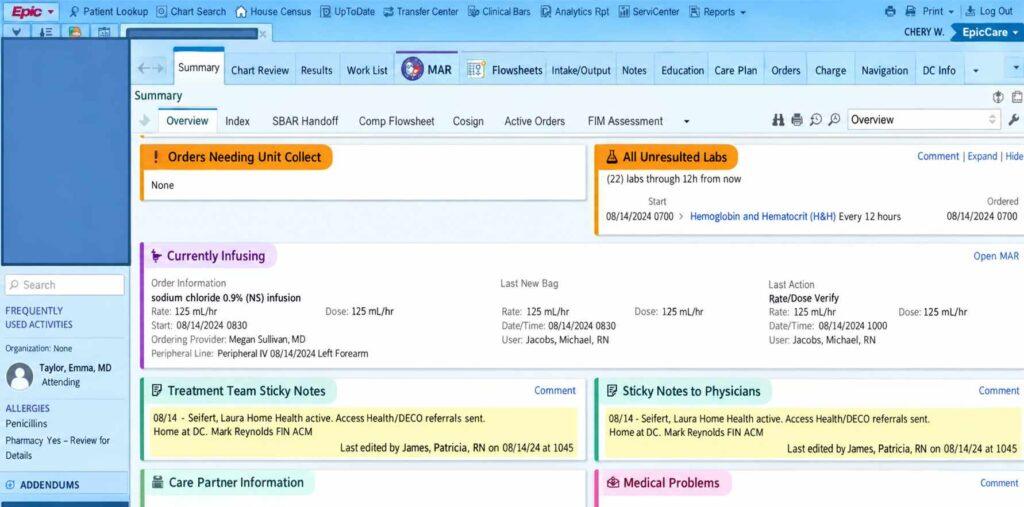
Its health information exchange runs through Care Everywhere, which shares clinical records between organizations, including organizations that don’t use Epic.
Epic’s Cosmos is not a record-transfer network. It’s a large de-identified clinical data platform used for research and clinical insights, and it doesn’t move identifiable charts between providers.
Smaller practices usually reach Epic through Community Connect, which extends a host health system’s Epic instance to affiliated practices for a fee. The tradeoff is that you’re a guest in someone else’s house, living with the host’s build, upgrade schedule, and configuration decisions.
Key features
Epic’s superpower is how far the record travels and how many patients already know the portal.
- MyChart patient portal and app
- Community Connect access for affiliated practices
- Integrated hospital and professional billing (Resolute)
- Cosmos de-identified data for research and benchmarking
- Care Everywhere record exchange, including with non-Epic systems
Pricing
Epic doesn’t publish a rate card. Estimated subscription costs run $500 to $1,000 per provider per month, and final pricing comes through an enterprise quote.
The subscription is the appetizer. Hosting, implementation, data migration, training, integrations, and ongoing support can all add to the total.
Pros and cons
Reach and scale come with a matching invoice and a matching learning curve.
| Pros | Cons |
| Broad record exchange through Care Everywhere | High cost and long implementations |
| Patients already know MyChart | Documentation and inbox burden are common physician complaints |
| Community Connect opens Epic to smaller practices | Affiliated practices follow the host’s build and change schedule |
User reviews about Epic
As of October 2026, Epic holds a 4.1/5 overall rating from 457 reviews on Capterra, with a 4.3/5 customer service score.
Reviewers frequently praise its extensive functionality, customizable workflows, centralized patient records, and integration across clinical departments.
The love stops at the click count. Users highlight a steep learning curve, a complex interface, and too many clicks for routine tasks, along with occasional performance delays and hard-to-find workflows.
The pattern is clear. Epic works best for organizations with the training budget and IT staff to tame it, while smaller practices may find implementation and maintenance a heavy lift. Users value its depth and want its usability to catch up.
2. Oracle Health
Oracle Health, formerly Cerner, runs Millennium across many U.S. hospitals and federal programs. Oracle acquired Cerner in 2022.
The rebuild is no longer just a slide in a keynote. Oracle’s next-generation cloud EHR was ONC-certified and available to U.S. ambulatory customers in November 2025. In September 2026, Oracle announced that its Clinical AI Agent for nurses was available within the Oracle Health Foundation EHR.
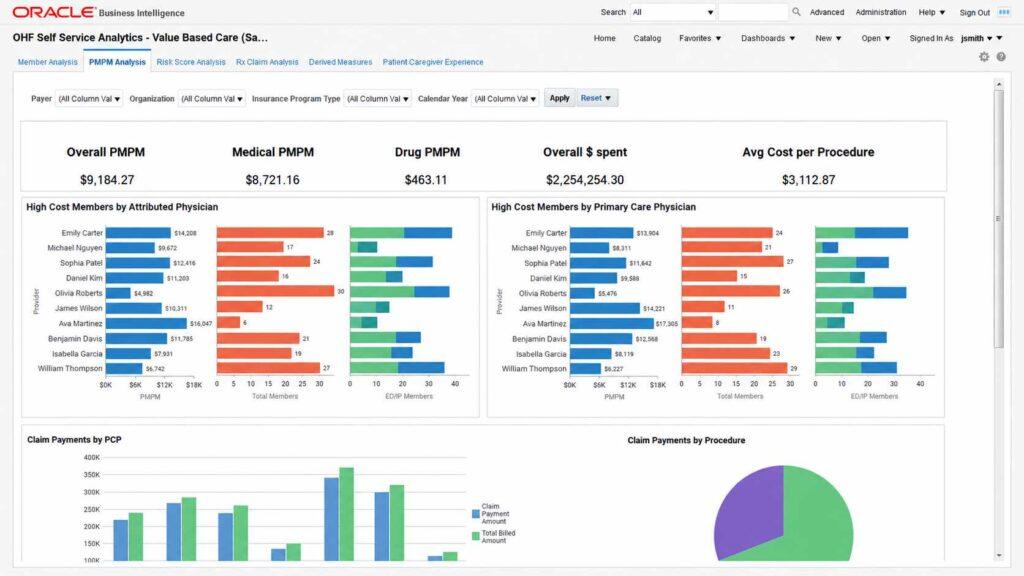
On the revenue side, Oracle’s 2026 Denial Management agent prepares appeal packets and provides root-cause analysis using patient accounting data.
The open question for current clients is migration. Existing Millennium sites should ask exactly when and how they move to the new platform, and the federal VA rollout’s documented problems are a good reason to ask twice and get the answer in writing.
Key features
Oracle is building its EHR around cloud delivery and AI agents.
- Population health and analytics tools
- Millennium clinical and revenue cycle suite for current clients
- ONC-certified next-generation cloud EHR for ambulatory care
- Clinical AI Agent for documentation, including nursing workflows
- Denial Management agent with appeal packets and root-cause analysis
Pricing
Oracle Health doesn’t publicly disclose standard subscription prices for these solutions. Every product line starts with a conversation.
| Plan | Price | Limits |
| Oracle Health EHR | Custom quote, contact vendor | Pricing depends on the selected EHR solution, licensing, and implementation requirements |
| Oracle Health Ambulatory AI Application Suite | Custom quote, subscription-based | Ambulatory clinical workflows and integrated AI capabilities |
| Oracle Health Enterprise / Millennium | Custom quote | Enterprise-level EHR and clinical information systems for hospitals and health systems |
Pros and cons
The platform is moving forward, and buyers need to know where they land in the transition.
| Pros | Cons |
| Certified cloud EHR already available for ambulatory customers | Migration timing for existing Millennium sites needs written answers |
| AI agents across clinical and revenue workflows | Federal rollout history draws scrutiny |
| Enterprise scale and Oracle cloud infrastructure | Final pricing still requires an enterprise quote |
User reviews about Oracle Health
As of October 2026, Oracle Health Ambulatory Suite holds a 3.8/5 overall rating from 161 reviews on Capterra, with a 3.5/5 ease-of-use score and a 3.6/5 customer service score.
Reviewers appreciate centralized patient records, detailed clinical information, and medical histories that are easy to pull up. The complaints read like a list of every EHR sin at once, including:
- Excessive clicks
- A cluttered interface
- A steep learning curve
- Complicated navigation
Some users also report slow support, occasional glitches, and trouble integrating third-party tools.
Users value how Oracle Health organizes patient information. They want usability and support responsiveness to get the same attention as the AI roadmap.
3. MEDITECH Expanse
MEDITECH Expanse is a web-based EHR used by community, rural, and critical access hospitals. MEDITECH supports large health systems and academic medical centers, so calling Expanse a small-hospital system sells it short.
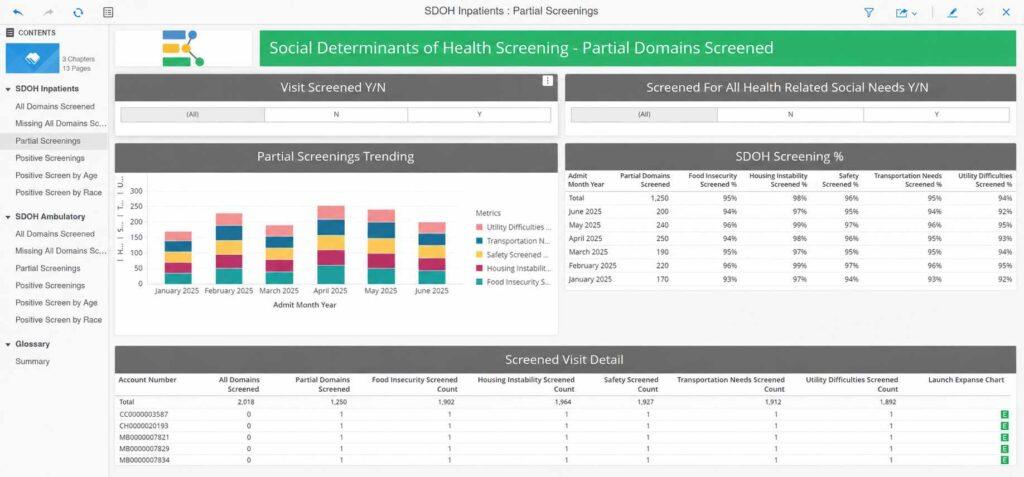
MEDITECH as a Service (MaaS) runs Expanse on Google Cloud as a subscription, which can reduce infrastructure and hosting costs.
That doesn’t prove Expanse costs less than Epic or Oracle Health.
No verified, like-for-like public pricing comparison exists for equivalent implementations, so ask for a documented total-cost estimate instead of trusting the hallway gossip.
Key features
Expanse puts inpatient, outpatient, and emergency care on one record.
- Integrated revenue cycle
- Traverse Exchange for interoperability
- MaaS subscription hosting on Google Cloud
- Inpatient, ambulatory, and emergency documentation
- Support for organizations from critical access hospitals to academic centers
Pricing
MEDITECH Expanse doesn’t publish a rate card. Estimated costs run $50 to $300+ per user per month, depending on deployment (licensed or MaaS subscription), modules, and organization size.
That range is wide enough to park a truck in. Get a documented quote for your configuration before comparing it with other hospital systems.
Pros and cons
The deployment model is flexible, and the reputation is still catching up to the product.
| Pros | Cons |
| MaaS subscription can lower infrastructure and hosting costs | Wide estimated range ($50 to $300+ per user/month) complicates budgeting |
| Serves organizations from critical access to academic | Older MEDITECH versions still shape perceptions |
| One record across care settings | Some reviewers describe rigid workflows |
User reviews about MEDITECH Expanse
As of October 2026, MEDITECH Expanse holds an overall rating of 3.1/5 from 49 reviews on Capterra.
Reviewers appreciate centralized patient records, solid clinical documentation, and information that’s reachable across departments.
The criticism is blunt.
Users describe an outdated interface, limited customization, complicated navigation, and too many steps for routine tasks, plus occasional glitches, slow performance, and support frustrations.
Expanse can serve community hospitals that need one record across settings, but results lean heavily on training and configuration.
Users value the clinical information management and want usability, flexibility, and speed to improve.
4. NextGen Enterprise
NextGen Enterprise is an ambulatory EHR and practice management system for multispecialty groups, behavioral health organizations, and FQHCs. Thoma Bravo took NextGen private in 2023, and ambient AI note drafting has since joined the product line.
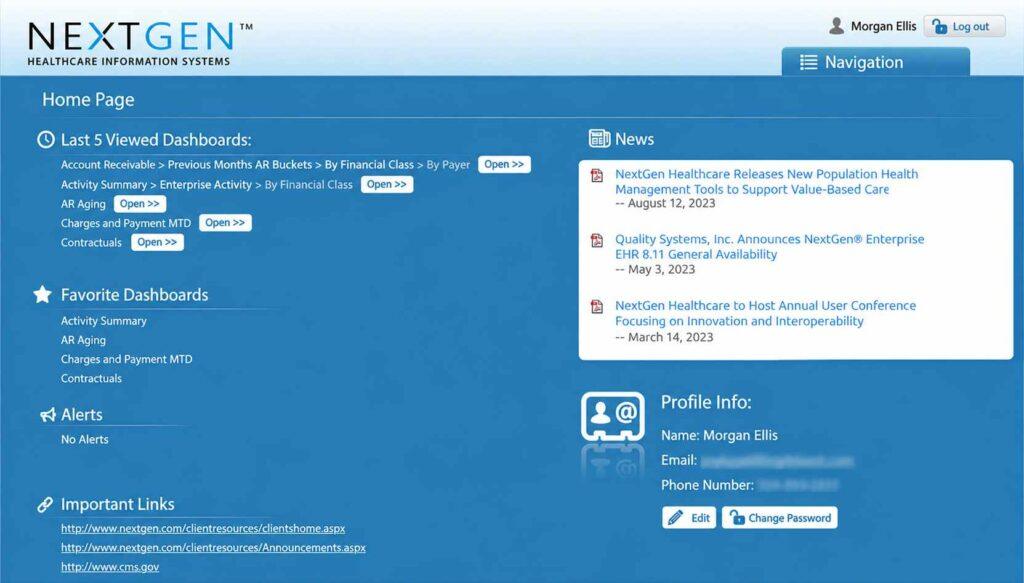
The configuration depth is real. Organizations with a strong super-user or IT team get a flexible system, while those without one often end up paying for capabilities nobody has figured out how to switch on.
Key features
NextGen is built for organizations juggling several specialties and complex reporting.
- Ambient AI note drafting
- FQHC and UDS reporting tools
- Configurable templates and workflows
- Integrated practice management and billing
- Specialty content for orthopedics, behavioral health, and other fields
Pricing
NextGen doesn’t publish a rate card. Estimated pricing runs $660 to $1,000+ per month, varying with provider count, modules, and practice management add-ons. Final pricing comes through a custom quote.
Pros and cons
Flexibility and complexity come from the same configuration options.
| Pros | Cons |
| Deep specialty and FQHC support | Complex setup and training |
| One system for EHR and PM | Support quality draws mixed reviews |
| Ambient AI documentation | Results depend on internal configuration expertise |
User reviews about NextGen Enterprise
As of October 2026, NextGen Enterprise holds an overall rating of 4.2/5 from 38 reviews on Capterra, with a 4.1/5 ease-of-use score and a 3.7/5 customer service score.
Reviewers appreciate its clinical depth, customizable templates, integrated billing, and reporting. Having the EHR, practice management, and revenue cycle tools under one roof is a real win for busy practices.
The grumbles cover a steep learning curve, dated interface elements, excessive clicks, occasional glitches, and support that doesn’t always close the ticket.
Users value NextGen’s flexibility and breadth. Usability, performance, and support responsiveness are where they want improvement.
5. Greenway Health
Greenway Health sells the Intergy EHR to ambulatory practices, along with Greenway Revenue Services for billing support.
Practices get one vendor for clinical software and revenue help, and one phone number to call when either acts up.
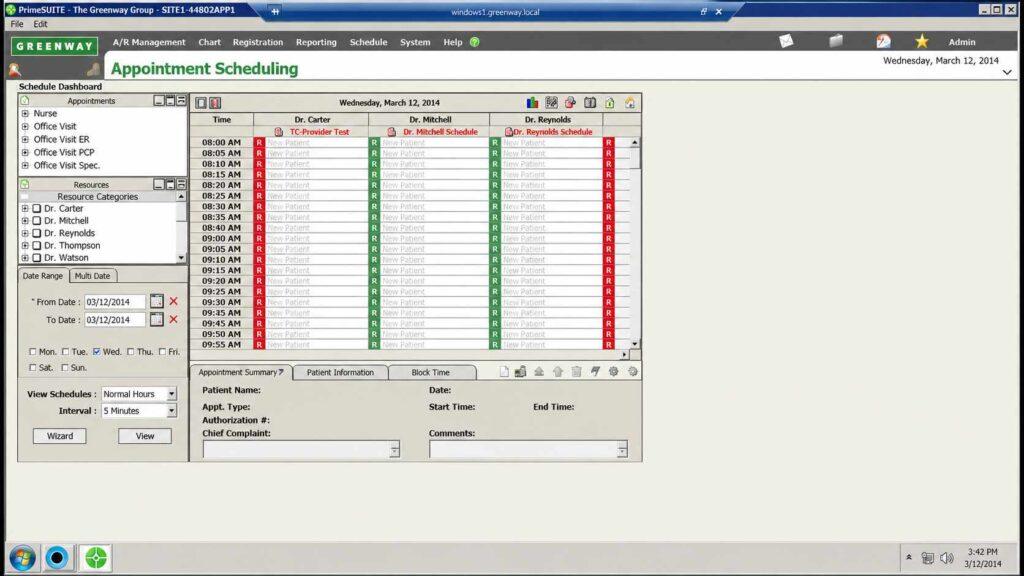
Support responsiveness has drawn criticism in reviews for several years. Ask for reference clients that match your size and specialty, then actually call them.
Key features
Greenway packages clinical and revenue tools for ambulatory care.
- Patient engagement tools
- Greenway Revenue Services
- Regulatory reporting support
- Ambulatory specialty templates
- Intergy EHR and practice management
Pricing
Greenway prices through custom quotes. Ask for an itemized proposal that separates software, revenue services, and implementation.
Pros and cons
The bundle is convenient, and service consistency is the wildcard.
| Pros | Cons |
| EHR and revenue services from one vendor | Recurring support complaints |
| Mature ambulatory feature set | Interface feels dated to some users |
| Regulatory reporting support | Quote-only pricing |
User reviews about Greenway Health
Greenway Health, also known for its Prime Suite EHR and practice management product, provides integrated tools for clinical documentation, scheduling, billing, and reporting.
As of October 2026, Greenway Health has a reported overall rating of 3.8/5 from 205 reviews on Capterra.
Reviewers appreciate its integrated electronic health records, practice management features, and customizable workflows for different medical specialties.
Reviewers appreciate its integrated records and practice management, along with workflows that adapt to different specialties.
The other side of the ledger includes a complicated interface, excessive clicks, occasional slowdowns, inconsistent support, hard-to-reach advanced features, and surprise costs.
Users value the breadth and want usability, performance, and support to keep pace with it.
6. CareCloud
CareCloud offers a cloud EHR (talkEHR), practice management, AI tools, and revenue cycle management services for multispecialty practices. It sells the software and the RCM service separately or together.
Using CareCloud’s EHR doesn’t require using its billing service, and ending one service doesn’t automatically end the other. Whether you can split them up depends on your specific agreements and any bundled pricing.
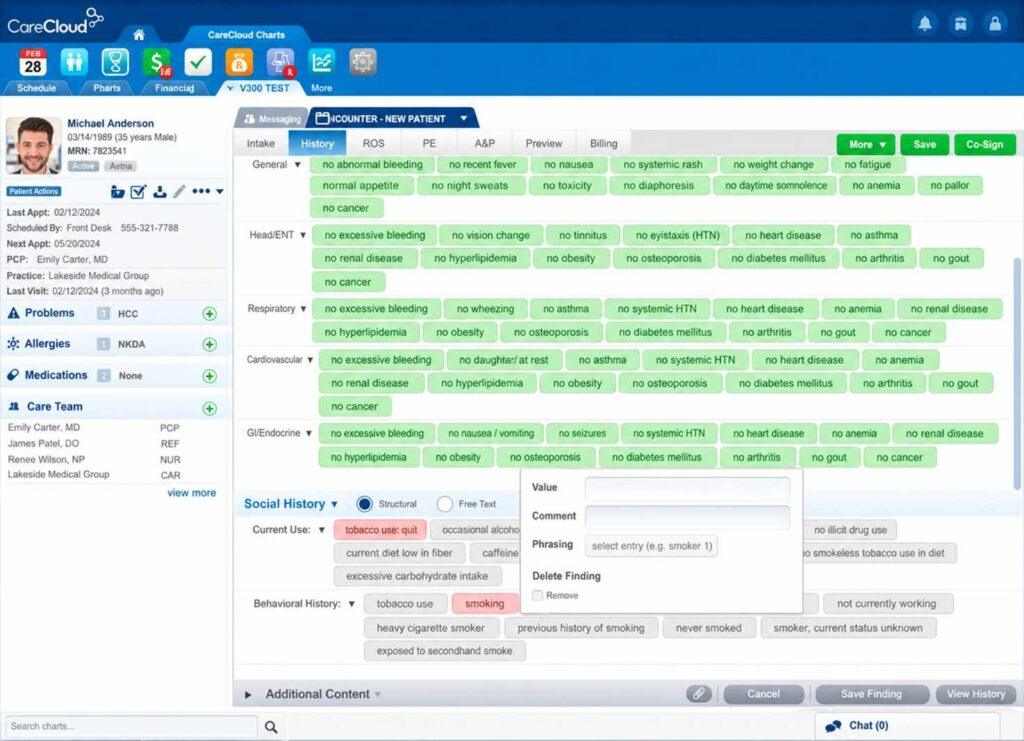
Buyers should also know about a 2026 security incident. CareCloud discovered on March 16, 2026 that an EHR environment had been compromised.
The incident doesn’t prove current systems are insecure. It’s a material event that every buyer should raise in the first meeting, not the last, particularly when assessing patient privacy safeguards.
Key features
CareCloud combines cloud software with optional revenue services.
- cirrusAI documentation tools
- Patient experience and payment tools
- Public-company reporting through SEC filings
- RCM services, available separately or bundled
- Cloud EHR (talkEHR) and practice management
Pricing
CareCloud lists separate plans for practice management, clinical software, patient engagement, and RCM services.
| Plan | Price | Limits |
| CareCloud Central | $349/provider/month | Practice management, scheduling, billing, and administrative workflows |
| CareCloud Complete | $629/provider/month | EHR, clinical documentation, and practice management |
| CareCloud Breeze | $199/provider/month | Patient engagement and self-service tools |
| CareCloud Concierge | 3% to 7% of practice collections | Revenue cycle management and billing support |
Pros and cons
| Pros | Cons |
| EHR and RCM available separately or together | 2026 incident exposed data for 3.76 million people |
| Cloud-native platform with published plan pricing | Mixed reviews on support and account management |
| Public-company disclosures | Bundled pricing can complicate partial exits |
User reviews about CareCloud
CareCloud is a cloud-based platform with integrated tools for electronic health records, practice management, scheduling, billing, and reporting.
As of October 2026, CareCloud has an overall rating of 3.6/5 from 112 reviews on Capterra. Reviewers like the user-friendly interface, customizable clinical workflows, scheduling, practice management features, and reporting.
The complaints cluster around slow or unresponsive support, occasional glitches and slowdowns, and tasks that take more steps than they should.
Some users also flag pricing, add-on costs, and slow fixes for technical problems.
Users value CareCloud’s integrated functionality and ease of use. Support responsiveness, reliability, and cost are where they want it to do better.
7. SimplePractice
SimplePractice is the default pick for many therapists and counselors in private practice, and a strong candidate for the best EHR software for mental health. Scheduling, notes, telehealth, a client portal, and insurance claims all live in one tidy product.
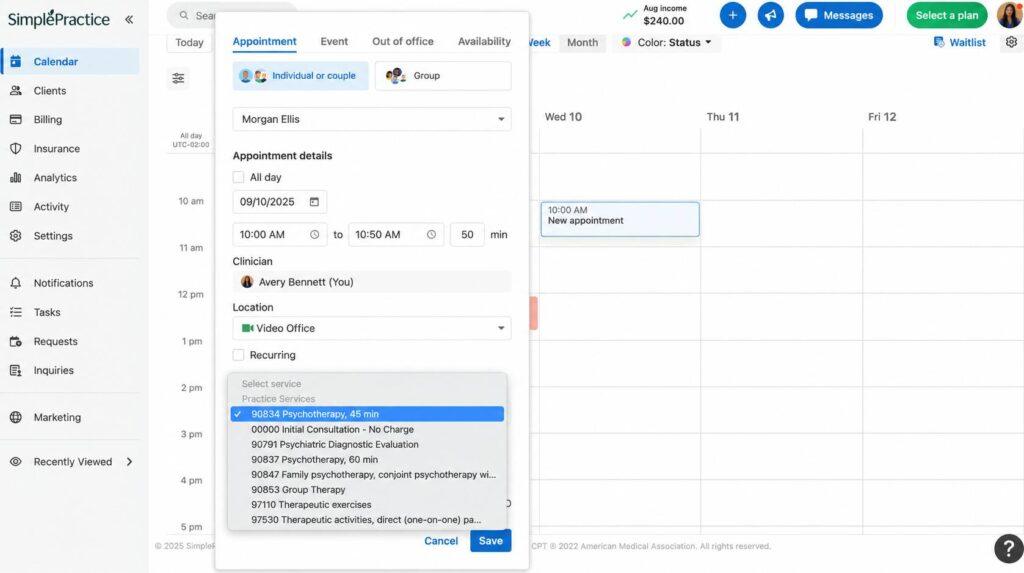
It’s built for therapy practices, not medical groups. Its price increases over recent years have taught long-time users a lot about their own feelings.
Key features
SimplePractice puts the whole private-practice day in one tab.
- Online booking
- Built-in telehealth
- Client portal with intake forms
- Insurance claims and payments
- Therapy note templates and treatment plans
Pricing
SimplePractice publishes three monthly plans, and features climb with the price.
| Plan | Price (USD) | Limits / Key features |
| Starter | $49/month | Client portal, invoicing, online payments, progress notes, and diagnosis plans |
| Essential | $79/month | Starter features plus telehealth, secure messaging, treatment plans, and customizable notes |
| Plus | $99/month | Advanced practice management features, telehealth, client messaging, billing, and appointment reminders |
Telehealth starts at Essential, so a Starter subscription won’t cover video sessions.
Pros and cons
Ease of use keeps practices on the platform, and renewal pricing tests that loyalty.
| Pros | Cons |
| Fast setup for private practice | Repeated price increases |
| Clean client experience | Limited for medical or large groups |
| Published plans from $49/month | Advanced features depend on tier |
User reviews about SimplePractice
As of October 2026, SimplePractice has an overall rating of 4.6/5 from 2,828 reviews on Capterra. This makes it one of the most-reviewed systems on this list.
Reviewers appreciate the user-friendly interface, customizable documentation templates, easy scheduling, integrated billing, and telehealth.
The complaints arrive mostly with the renewal email, including rising subscription costs, occasional telehealth hiccups, limited customization for some specialties, and uneven support.
Some users also want sharper billing workflows and deeper practice management tools.
Users love how easy it makes running a small practice. Cost, reliability, and flexibility for larger or specialized practices are where they want more.
8. TherapyNotes
TherapyNotes is a behavioral health EHR with notes, scheduling, billing, ERA posting, and a patient portal. Its secret weapon is that a human answers the phone, which in EHR land is practically a miracle.
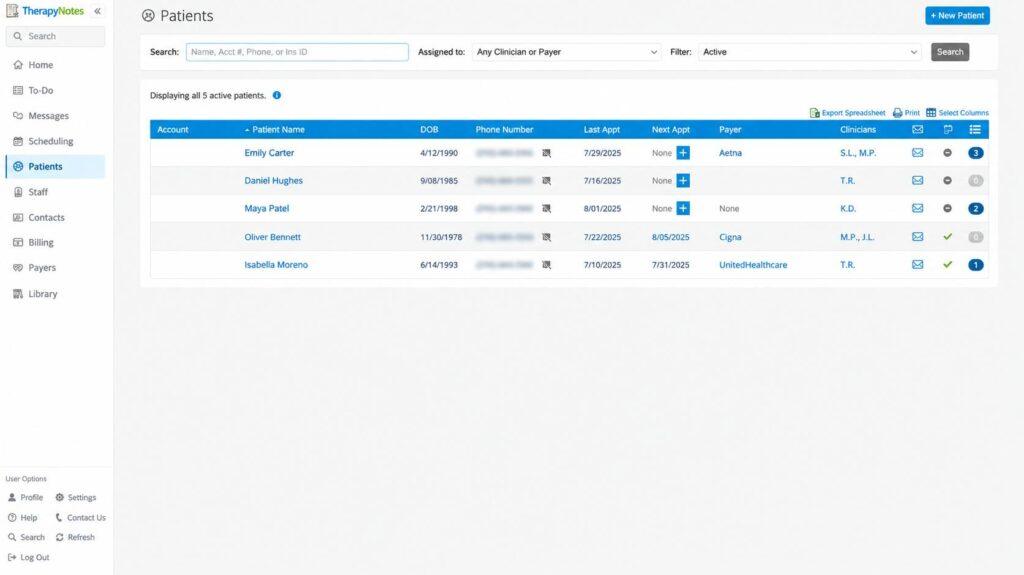
It offers less template customization than some competitors. Clinicians who want to redesign every form from scratch may feel boxed in.
Key features
TherapyNotes treats billing as a core function, not an afterthought.
- Client portal and telehealth
- Phone-based customer support
- Behavioral health note templates
- Electronic claims and ERA posting
- To-do lists that flag unsigned notes
Pricing
TherapyNotes publishes plans for single clinicians, groups, and larger organizations.
| Plan | Price (USD) | Limits |
| Solo | $69/month | 1 user, with unlimited clients, appointments, and notes |
| Group | $79/month for the first clinician, $50/month per additional clinician | Unlimited non-clinical users, including practice administrators, schedulers, and billers |
| Enterprise | Same rates as Group, minimum 30 users | Designed for larger practices and organizations, with a dedicated account manager |
Unlimited non-clinical users on Group plans means your front desk and biller don’t add to the bill.
Pros and cons
Support quality is the edge, and customization is the limit.
| Pros | Cons |
| Phone support from real people | Less template flexibility |
| Solid built-in billing | Fewer extras than all-in-one rivals |
| Published pricing at $69/month | Built for behavioral health only |
User reviews about TherapyNotes
As of October 2026, TherapyNotes has an overall rating of 4.7/5 from 969 reviews on Capterra, the highest score on this list.
Reviewers appreciate the user-friendly interface, customizable documentation templates, responsive support, and integrated scheduling and billing.
The criticism is mild by EHR standards, covering occasional glitches and disruptions, some insurance billing headaches, and limited customization in spots. Some solo practitioners also find the subscription a bit steep.
Users value TherapyNotes for its therapy-focused design, ease of use, and helpful support. Reliability, billing workflows, and cost for very small practices are the areas they flag.
9. ChiroTouch
ChiroTouch is a chiropractic EHR with SOAP notes, scheduling, and patient flow tools, and a frequent pick for the best chiropractic EHR software.
One detail changes the cost picture. ChiroTouch’s pricing page lists insurance billing tools as optional add-ons, so clinics that bill insurance need the CT Billing Suite plus a clearinghouse option.
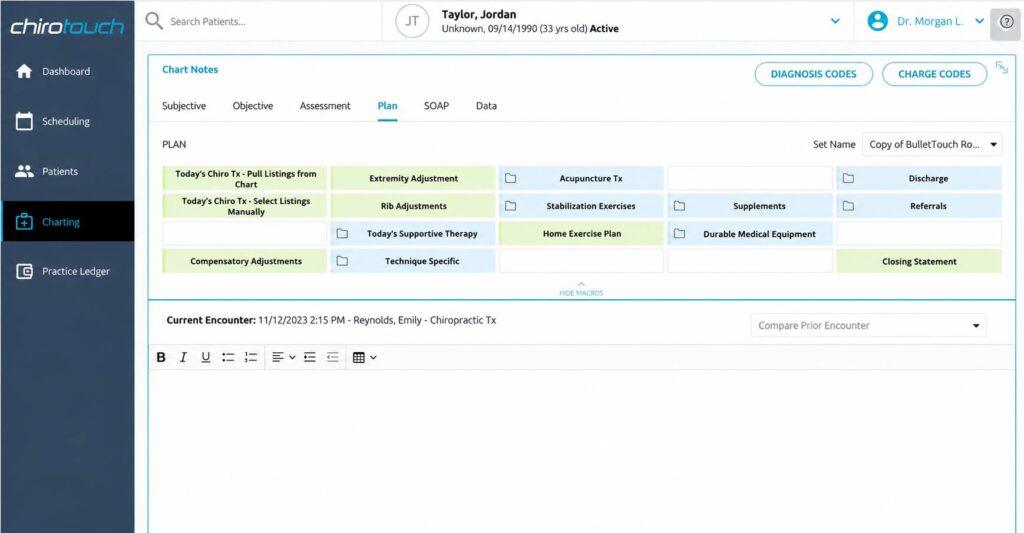
Insurance claims processing isn’t included in every base package, so read the fine print before you build the budget.
Clinical extras vary by package too. SmartFit exercise programs are included in the Scale package and available as an add-on for Grow.
Key features
The base workflow follows a chiropractic visit, and some tools depend on the package.
- Chiropractic SOAP note templates
- Patient check-in and flow tracking
- Insurance billing through the CT Billing Suite add-on
- SmartFit exercise programs (Scale package, or add-on for Grow)
- Scheduling and patient communication
Pricing
ChiroTouch packages run $139 to $529 per month, with insurance billing and some clinical tools sold as add-ons.
| Plan | Price (USD) | Limits / Key features |
| ChiroTouch Start | $139/month | Core EHR, practice management, basic AI charting, patient portal, payments, and appointment reminders |
| ChiroTouch Grow | $329/month | Start features plus AI Scribe, advanced AI charting, patient engagement, and multi-location support |
| ChiroTouch Scale | $529/month | Grow features plus AI review responses, AI translation, AI-powered campaigns, and lead management |
Add-ons sit on top of every package.
| Item | How it’s sold |
| Insurance billing | CT Billing Suite add-on plus clearinghouse option |
| SmartFit exercise programs | Included in Scale, add-on for Grow |
Price the package you’ll actually run. A clinic that bills insurance pays the package price plus the billing suite and clearinghouse.
Pros and cons
The specialty fit is strong, and the add-ons change the total.
| Pros | Cons |
| Built around chiropractic visits | Insurance billing costs extra |
| Package options for different clinic sizes | Support and update complaints recur |
| SmartFit exercise tools | Features vary by package |
User reviews about ChiroTouch
As of October 2026, ChiroTouch has an overall rating of 4.1/5 from 1,134 reviews on Capterra. Reviewers appreciate the chiropractic-specific features, customizable documentation templates, scheduling and billing tools, and a faster daily clinical routine.
The complaints include:
- A learning curve during setup
- Occasional lag and technical issues
- Frustrating billing and reporting workflows
Some users also report slow support responses and costs that feel heavy for smaller clinics.
Users value ChiroTouch’s chiropractic focus and integrated practice tools. Performance, ease of use, support responsiveness, and cost are where they want improvement.
10. OpenEMR
OpenEMR is a free, open-source EHR with scheduling, e-prescribing, and billing, and the most credible option for anyone searching for the best free EHR software.
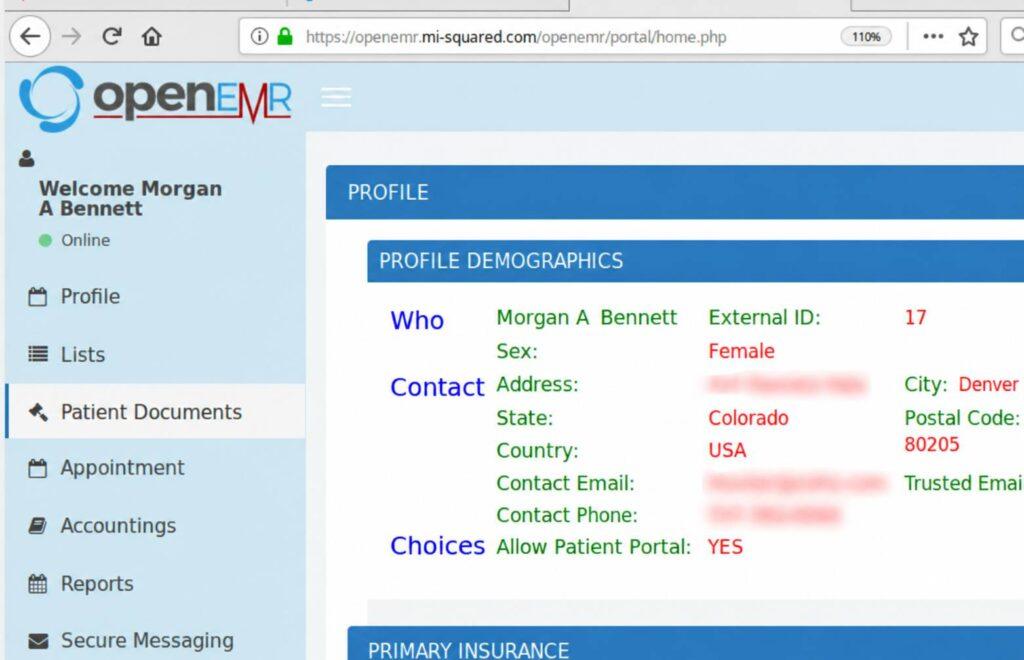
Certification is version-specific. OpenEMR 8 received ONC certification on January 30, 2026, but that doesn’t cover every installation. Check the exact version on the Certified Health IT Product List before relying on it for MIPS reporting.
OpenEMR is free the way a puppy is free. Hosting, HIPAA security, updates, and support become your job or a paid partner’s.
Key features
OpenEMR covers core EHR needs without a license fee.
- E-prescribing
- Built-in billing and claims
- Active developer community
- Scheduling and patient portal
- ONC-certified clinical record (Version 8)
Pricing
The software is free. Hosting, setup, security, and support carry their own costs, whether you handle them in-house or hire a vendor.
Pros and cons
Total control comes with total responsibility.
| Pros | Cons |
| No license cost | Requires technical skill or a paid partner |
| Fully customizable | Security and hosting fall on the organization |
| Version 8 is ONC-certified | Older installations may not be certified |
User reviews about OpenEMR
As of October 2026, OpenEMR has an overall rating of 4.1/5 from 27 reviews on Capterra, , with a 3.9/5 ease-of-use score and a 3.5/5 customer service score.
Reviewers appreciate its flexibility, zero licensing cost, customizable features, and support for a wide range of clinical workflows.
The flip side is that “free” takes work.
Users mention:
- Limited support
- Tricky third-party integrations
- Rough spots in billing and documentation
- Complicated installation and configuration
- The technical skill needed for ongoing maintenance
Users value OpenEMR’s low cost, flexibility, and control over patient data. Easier setup, simpler maintenance, better integrations, and stronger support top their wish list.
Why your EHR still needs a revenue cycle strategy
The right medical billing and coding software can flag a missing authorization. Someone has to fix it.
MedHeave runs full-cycle revenue operations inside your existing EHR, with no software switch required.
Our billers and coders work in Epic, NextGen, TherapyNotes, SimplePractice, and other systems, including hospital Epic environments with limited access.
We commit:
- Denial review and corrective action within 72 hours
- Claims submitted within 24 to 48 hours of signed encounter notes
- 4% to 7% of collections, performance-based, with 30-day exit terms
- Two dedicated account managers per practice (direct line, not a rotating queue)
- A 90%+ first-pass rate, under 10% denial rate, AR below 40 days, and 97%+ net collection rate
How to choose EHR software for your organization
Pick the system that fits your organization type, billing model, and budget, then test record exchange and the full claim lifecycle, not just the charting demo.
Start with organization type
Hospitals and health systems typically choose among Epic, Oracle Health, and MEDITECH based on budget, deployment preference, and existing relationships.
Ambulatory groups compare NextGen, Greenway, and CareCloud.
For more ambulatory options, compare the systems in our EMR software roundup.
Behavioral health and chiropractic practices are usually better served by specialty EHR systems than by general platforms wearing a specialty template like a costume.
Match to practice size
A two-provider practice paying for enterprise infrastructure is buying a stadium for a pickup game.
Practices searching for the best EMR for small practice needs often do better with a cloud platform or specialty system, or with Epic through Community Connect if a local health system offers it.
Compare total cost, not the monthly rate
EHR software prices come in different units, so line them up carefully.
Epic’s estimates are per provider, MEDITECH’s are per user, CareCloud’s plans are per provider, and SimplePractice, TherapyNotes, and ChiroTouch publish monthly plans. Convert every option to a total for your actual headcount.
Add-ons change the math too. ChiroTouch’s billing suite and CareCloud’s split between software plans and RCM services both show why the headline number rarely equals the invoice.
Budget for implementation, interfaces such as HL7 connections, data migration, e-prescribing, clearinghouse transactions, training, and support.
Test the billing workflow in the demo
Many buyers searching for the best EMR EHR software want a system that charts like an EMR and shares records like an EHR.
Ask the vendor to demonstrate its integrated EHR and billing workflow, if offered, by walking a claim from signed note to posted payment, including a denial. A fast chart paired with a disconnected billing workflow still leaks revenue, just more quietly.
Score finalists against these criteria
Use this checklist before signing with any vendor.
Verify Certification
Check the exact product version’s current ONC certification and MIPS capabilities through the Certified Health IT Product List.
Test Record Exchange
Confirm that records can be exchanged with the hospitals, labs, and practices your organization refers to most, and ask which FHIR APIs support the connections you need.
Clarify Billing Options
Determine whether billing is built in, available as a paid add-on, or handled by a separate vendor.
Get an Itemized Quote
Request separate costs for subscriptions, add-ons, training, data migration, interfaces, and ongoing support.
Review Security History
Ask about past security incidents, how they were addressed, and which safeguards were introduced afterward.
Secure Your Exit Terms
Get written terms for data export formats, access rights, termination fees, and access to records after the contract ends.
If you’re switching, weigh migration over features
The shiniest EHR on paper fails if patient history, attachments, and billing records don’t come with you. Ask the current vendor about export formats, extraction fees, and timelines before you fall in love with the replacement. Confirm how USCDI data elements will transfer into the replacement system.
Frequently asked questions
Here are some commonly asked questions about this topic:
The EHR vs. EMR distinction starts with where records can travel: electronic medical records (EMRs) are digital charts focused on records within one practice. An EHR is designed to share information across care settings, including labs, hospitals, and other providers. Most modern systems do some of both, and vendors use the terms interchangeably. Judge a product by its actual interoperability, not by its acronym.
Pricing ranges from free (OpenEMR’s license) to an estimated $500 to $1,000 per provider per month for Epic. Therapy and chiropractic platforms are the most predictable, with SimplePractice at $49 to $99, TherapyNotes from $69, and ChiroTouch from $139 to $529 per month. CareCloud’s plans run $199 to $629 per provider per month, while Oracle Health, Greenway, and other enterprise systems price through custom quotes. Beyond the subscription, budget for implementation, training, interfaces, data migration, and add-ons such as billing.
Yes, under two separate frameworks. The HIPAA right of access gives individuals the right to their protected health information, including electronic copies when it’s maintained electronically. The 21st Century Cures Act added information-blocking rules that prohibit improper interference with access, exchange, or use of electronic health information.
Practices participating in MIPS Promoting Interoperability generally need certified EHR technology. For 2026, CMS generally requires at least 180 continuous reporting days using certified technology, though some clinicians and small practices qualify for reweighting or hardship exceptions. Verify the specific product version through the Certified Health IT Product List.
Yes, usually through Epic Community Connect. A host health system extends its Epic instance to affiliated practices for a fee. The practice gains Epic’s network and MyChart but follows the host’s build and change schedule.
The software can support compliance, but the organization remains responsible. With OpenEMR, you must secure hosting, sign business associate agreements with vendors, and manage access controls. Many practices pay a hosting partner rather than learn server security on a Sunday.
Many EHR and practice management systems support authorized external billing staff through individual user accounts. Confirm that the software supports role-based permissions and audit logging. When a billing company handles protected health information for a HIPAA-covered practice, a business associate agreement is generally required.
Much of the clinical record can often export through C-CDA summaries, but complete transfer isn’t guaranteed. Historical notes, attachments, images, and billing records may not migrate fully. Ask about export formats, extraction fees, and timelines, and keep read-only access to the former system for audits and payer requests, subject to contract terms.